---
title: "Stream"
date: 2026-07-05
author: ""
---
# Stream
- ## [Enola Holmes 3](https://courtneyr.dev/2026/07/05/enola-holmes-3/)
July 5, 2026
Watch
### [Enola Holmes 3](https://www.netflix.com/title/81605886)
- ## [WordPress has a dozen ways to let AI edit your site. Here’s how to choose (and why I trust Block MCP for live edits)](https://courtneyr.dev/2026/06/22/ai-editing-in-wordpress/)
June 22, 2026
*Disclosure: I work in developer relations at GoDaddy, which makes Airo — one of the AI editing in WordPress tools I compare below. I’ve tried to be fair to everything here, including tools that compete with us — the framework is the point, not the brand.*
AI editing in WordPress just got crowded. There are now a dozen ways to let AI edit a WordPress site — the native WP 7.0 AI Client, Block MCP, Ollie AI, Airo, WP Pinch, your theme’s MCP. They get pitched like rivals, so people freeze.
## AI editing in WordPress: sort by job, not brand
They’re not rivals. Instead, they sit at different layers and do different jobs. Pick based upon the job in front of you. Here’s the map — and why, for *editing an existing live page*, I reach for GravityKit’s Block MCP.
**The mistake is treating them as one fight.**
“Which AI tool should I use for WordPress?” is the wrong question, because the AI editing in WordPress tools answer different needs. For example, some are *rails* you build on. Others *build new pages*. One, instead, *edits existing content surgically*. And some *run your whole site from a chat agent*. So asking which one “wins” is like asking whether a foundation beats a paint roller. In short, sort by job and the choice gets obvious.
---
## **Layer 0 — the rails of AI editing in WordPress (you build on these)**
WordPress 7.0 shipped a native [**AI Client**](https://make.wordpress.org/core/2026/03/24/introducing-the-ai-client-in-wordpress-7-0/): a provider-agnostic API so any plugin can send a prompt to whatever model the site owner configured (Anthropic, Google, OpenAI as separate provider plugins), with a companion [Connectors API](https://make.wordpress.org/core/2026/03/18/introducing-the-connectors-api-in-wordpress-7-0/) for credentials. Paired with the [**Abilities API**](https://developer.wordpress.org/apis/abilities-api/) (6.9+), which is how plugins expose actions to agents, this is the standard plumbing everything else rides on. So if you’re *building* an AI feature, build here — it’s the future-proof floor, not an end-user tool.
---
## **Job 1 — edit existing content, surgically and safely → Block MCP (GravityKit).**
This is the one I trust for AI editing in WordPress on a live site. Most tools, however, regenerate whole pages: they rescan on every edit, can emit valid HTML that’s invalid *block* markup, and give you no clean undo. But Block MCP (built by Zack Katz’s team, [demoed on The WP Minute+](https://www.youtube.com/watch?v=4ylWneokU9k)) inverts that.
It edits *one block* via a stable reference ID, so it never rescans the page. Then it validates the result’s *block structure* by running it back through WordPress — an explicit “verified” step. And it saves a revision on every edit, so rollback is granular. Reach for it when you have a real page you don’t want broken.
---
## **Job 2 — build new pages and designs fast.**
So there are two good answers, depending on your stack.
**Ollie AI** just moved AI content and design *inside* the WordPress site editor — no copying your page into a chatbot, no hopping out to a desktop client. Select a headline, click the AI pen in the toolbar, and rewrite it in plain language. Attach a writing guide, a brand persona, or a Markdown product sheet so what comes back actually sounds like you. Need a section from scratch? Drop in a writing prompt block. Need a new layout? The design prompt block turns “I need a new section for my features” into several live-preview variations in seconds, drawn from Ollie’s professionally-designed pattern library — and the same plain-language search (“we need a homepage”) browses the full library by collection and category.
The move that steals the demo: select a whole group, tell Ollie to rework it, and it rewrites every piece of copy *individually while leaving your layout untouched*. You keep the design you fell in love with; only the words change.
### Ollie’s MCP reaches past the editor
But the editor is only half of it. Ollie also ships an MCP that reaches well past page-building. It can:
- **Make block-level content edits** — rewrite one heading, or batch-rewrite every CTA, with structure preserved
- **Drive the whole design system site-wide** — color palette, typography, spacing, even installing Google Fonts into theme.json
- **Manage navigation, headers, footers, and templates**
- **Run agent audits** — Yoast SEO, readability, and inclusive-language scoring, plus AI alt-text for accessibility
From there, you drive all of it from Claude, Cursor, or VS Code, and chain it in one session: build the page → fill the content → restyle the palette → set the nav → audit SEO and accessibility → publish. So if your theme ships its own MCP, this is the category it’s in.
### When to reach for Airo instead
**GoDaddy Airo for WordPress** goes wider. For example, describe your business, and it generates a whole real WordPress site — Core, native blocks, plugins pre-configured — with hosting bundled. So it’s built for new sites and small businesses that want to skip setup entirely. *(Disclosure again: that’s my team.)*
---
## **Job 3 — run your whole site from your own agent.**
If you want AI editing in WordPress to run from chat — owning your whole AI stack — the OpenClaw-connected plugins fit.
[**WP Pinch** ](https://wp-pinch.com/)exposes ~48 abilities plus background governance tasks (stale content, SEO gaps, broken links) — open source, for power users who live in chat.
WP Pinch puts the *whole site* under one agent rather than doing one surgical thing well. It also assumes you already have a running OpenClaw instance — which usually means a Linux VPS you set up and maintain. So if you’d rather skip the server wrangling, GoDaddy offers managed [OpenClaw hosting](https://social.godaddy/courtney-openclaw). *(Disclosure: I work at GoDaddy, and that link is GoDaddy’s OpenClaw hosting.)*
### The decision rule (screenshot this):
- Editing an existing page you care about? → **Block MCP.**
- Building new pages with design quality? → **Ollie** (patterns) and/or **Airo** (full site, esp. small business).
- Want one agent running the whole site from chat? → **WP Pinch** (bring OpenClaw).
- Building a plugin or feature yourself? → the native **AI Client + Abilities API.**
- And they **stack**: the AI Client is the floor, the Abilities API is the interface, the rest are tools on top. Choose by the job in front of you, not by the loudest brand.
---
## **Why AI editing in WordPress comes down to the job, not the brand**
**Try them.**
Block MCP — [GravityKit](https://www.gravitykit.com/products/block-mcp/) · the WP 7.0 AI Client — [Make WordPress](https://make.wordpress.org/core/2026/03/24/introducing-the-ai-client-in-wordpress-7-0/) · Ollie — [olliewp.com](https://olliewp.com/) · Airo — [GoDaddy](https://www.godaddy.com/airo/airo-for-wordpress) · WP Pinch.
### Sources & further reading
#### WordPress AI foundation (the rails)
- [Introducing the AI Client in WordPress 7.0](https://make.wordpress.org/core/2026/03/24/introducing-the-ai-client-in-wordpress-7-0/) — the native, provider-agnostic AI API.
- [Introducing the Connectors API in WordPress 7.0](https://make.wordpress.org/core/2026/03/18/introducing-the-connectors-api-in-wordpress-7-0/) — provider/credential management.
- [Abilities API — developer handbook](https://developer.wordpress.org/apis/abilities-api/) · [WordPress/abilities-api repo](https://github.com/WordPress/abilities-api) — how plugins expose actions to agents.
#### Block MCP (GravityKit)
- [Block MCP product page](https://www.gravitykit.com/products/block-mcp/) · [Introducing Block MCP](https://www.gravitykit.com/introducing-block-mcp/) (launch post, setup steps).
- [GravityKit/block-mcp repo](https://github.com/GravityKit/block-mcp) — open-source MCP server.
- [The WP Minute+ — Zack Katz demo](https://www.youtube.com/watch?v=4ylWneokU9k) (Block MCP segment ~27:52) · [short clip](https://www.youtube.com/watch?v=ZZ-FkAIoG1g).
#### Ollie AI / Ollie MCP
- [Ollie](https://olliewp.com/) · [Ollie AI announcement](https://olliewp.com/introducing-the-new-and-improved-ollie-pattern-library/) (Mike McAlister) · [Ollie AI demo video](https://www.youtube.com/watch?v=srFsIq5gPCQ) · [OllieWP/ollie repo](https://github.com/OllieWP/ollie).
#### GoDaddy Airo for WordPress *(disclosure: my team)*
- [Airo for WordPress](https://www.godaddy.com/airo/airo-for-wordpress) · [GoDaddy newsroom launch](https://aboutus.godaddy.net/newsroom/news-releases/press-release-details/2026/GoDaddys-Airo-for-WordPress-Delivers-AI-that-Builds-Grows-and-Continuously-Improves-Websites/default.aspx) · [Airo in the WordPress dashboard](https://www.godaddy.com/resources/news/airo-for-wordpress-now-lives-in-your-wordpress-dashboard).
#### OpenClaw connectors
- [WP Pinch](https://wp-pinch.com/) · [RegionallyFamous/wp-pinch repo](https://github.com/RegionallyFamous/wp-pinch) — ~48 abilities + background governance (GPL).
- [OpenClaw](https://github.com/openclaw/openclaw) — the agent WP Pinch plugs into.
- [GoDaddy OpenClaw hosting](https://social.godaddy/courtney-openclaw) — managed OpenClaw, if you’d rather not run your own VPS. *(Disclosure: my employer.)*
- ## [WordPress 7.0 Armstrong – This Week in WordPress 374](https://courtneyr.dev/2026/05/26/wordpress-7-0-armstrong-this-week-in-wordpress-374/)
May 26, 2026
Nathan Wrigley pulled me in at the eleventh hour to fill Mark’s seat on This Week in WordPress 374, alongside Michelle Frechette and Mike Johnson. We spent most of the hour on WordPress 7.0 Armstrong.
## WordPress 7.0 Armstrong is here, and the AI client is the headline
WordPress 7.0 Armstrong shipped after a real delay. Real-time collaboration got pulled, which pushed the release out by about five weeks, but the rest of the work is impressive: 900+ contributors, 279 first-timers, 419 core Trac tickets, plus 411 Gutenberg enhancements and 486 bug fixes.
The piece I keep pointing people at is the new AI client. It is a provider-agnostic API that lets plugins call generative AI models through a consistent interface, without bundling their own SDKs or building custom settings pages. I wrote [my own breakdown of the release](https://www.godaddy.com/resources/news/wordpress-7-0-real-time-collaboration-arrives-in-core) over on courtneyr.dev if you want the full walkthrough.
One small correction I made on air: the connectors ship with four providers, not three. Akismet is in there alongside the usual suspects. That reframes what an AI connector is. It is not just “plug in a large language model.” Akismet does AI work on comment moderation, and that counts. There is also a toggle in the settings to see every call every plugin wants to make. Turn it on if you want to understand what is happening on your site.
## The hidden gem nobody is talking about
The most interesting thing in WordPress 7.0 Armstrong is quietly sitting in the notes feature.
You can ask the AI to leave you notes about a post you are working on. “I am stepping away from this draft, summarize what we did so I can pick it up tomorrow.” It is not real-time collaboration. It is the same notes UI that came out in 6.9, repurposed for human-to-AI handoff. Small feature, real problem solved.
## Hosts showing up for testing changes everything
This is the part of the WordPress 7.0 Armstrong story I do not want to get lost.
[Kira ](https://profiles.wordpress.org/kirasong/)[Schroder](https://profiles.wordpress.org/kirasong/) and [Jason Cosper](https://profiles.wordpress.org/boogah/) co-founded the WordPress.org hosting team and built a suite of test runners that hosts could use to validate releases. For a number of releases, those tests were not being run. That changed this cycle.
When Jonathan Desrosiers on the core team put together the test suite and asked hosts to run it, we did. My colleagues Scott Clark and Jeff at GoDaddy were instrumental in testing how real-time collaboration would perform under load. That feedback is part of why real-time collab got pulled. The performance impact on shared hosting would have been felt.
I am sad we delayed a big feature. I am genuinely glad hosts engaged enough to catch it. This kind of engagement has to continue into 7.1 and 7.2.
## Watch the Gutenberg changelog if you want to know what is next
Gutenberg ships every other week. Features that land in WordPress core start in the plugin first. If you want to track real-time collaboration (or anything else) as it stabilizes, the plugin changelog is your early-warning system.
The relevant Slack channel for collab specifically is `#feature-collaboration` in [Make WordPress Slack](https://make.wordpress.org/chat/).
## A quick aside on Generate Press, BeaverBuilder, and classic themes
Mike brought up the [GeneratePress article](https://generatepress.com/) defending their decision to stay with a classic theme. I respect that they put their flag in the sand. They know their customers, they have technical reasons, and they are not chasing the new shiny.
Right after that, [BeaverBuilder shipped 2.11 beta 2](https://www.wpbeaverbuilder.com/) with support for the WordPress 7.0 font library. The theme ecosystem is finding real ways to take advantage of what core is offering without becoming full-site editing themes. There is room for both.
## The browser extension I did not know I needed
Jake Goldman (now at [Fueled](https://fueled.com/), formerly 10up) shipped an official WordPress browser extension. Chrome and Safari, version 1.0 in testing, jump straight to edit page, log out, or admin areas without clicking through wp-admin.
I am happy to see this exist, and I am still running [Turbo Admin](https://turbo-admin.com/). Turbo Admin has more robust functionality (command palette, keyboard shortcuts, fuzzy search across admin and plugins), and it has been part of my daily workflow for a while. I will keep an eye on the official extension as it matures.
## Obsidian came up, and I have a confession
Nathan pulled up [the WordPress sync plugin](https://wordpress.org/plugins/search/obsidian/) for [Obsidian](https://obsidian.md/) and asked me about it on air. I already a huge fan and [have created many workflows](https://courtneyr.dev/2026/04/15/llm-wiki-ai-second-brain-obsidian/) around using it as my Second Brain.
The software is maintained by three engineers who aspire to stay small. Your files are your files (markdown, on disk, no lock-in), even though the app itself is not open source. Pay for Obsidian Sync and Publish, or use Google Drive, OneDrive, or GitHub for syncing on your own.
The problem is organization. The vault is only as good as the user saving the files. Nathan and I agreed to hang out so I can show him the settings. You can write markdown directly in WordPress, and you can use a gooey interface in Obsidian. Pick what fits.
## Get involved with WordPress 7.1
[WordPress 7.1 has a call for volunteers out](https://make.wordpress.org/core/). Beta begins July 15. Final release is targeted for August 19, a couple of weeks before WordCamp US.
If you have ever thought about helping with a release cycle, this is the moment. Test the betas. Run them on staging. File the bugs.
A hat tip to [Rae Morrey](https://therepository.email/) for her release coverage. Mike proofreads the Repository articles every Friday and walks away amazed at how thorough she is. So do I.
Thank you to Nathan for handing me the spare mic, to Michelle for co-hosting, and to Mike for being awake at 6 a.m. The next This Week in WordPress is in two weeks. See you then.
- ## [DevRel, AI, and the Maintainer Gap: Community + Code Ep. 26](https://courtneyr.dev/2026/05/21/devrel-ai-and-the-maintainer-gap-community-code-ep-26/)
May 21, 2026
Courtney Robertson recaps her appearance on Episode 26 of the Community + Code podcast, covering DevRel and developer relations work at GoDaddy, including coordinating between hosting engineers and core contributors, as well as monitoring upcoming WordPress changes.
The conversation also addresses the use of AI tools in daily workflows, open-source license risks in AI-generated code, and the growing burden on open-source maintainers as AI reduces visibility into the dependencies developers rely on.
## Table of contents
- [The wallflower thing](#h-the-wallflower-thing)
- [What DevRel actually looks like at a hosting company](#h-what-devrel-actually-looks-like-at-a-hosting-company)
- [The DevRel framework, briefly](#h-the-devrel-framework-briefly)
- [The AI conversation (with Claude literally open in the background)](#h-the-ai-conversation-with-claude-literally-open-in-the-background)
- [The license problem Juliette keeps warning us about](#h-the-license-problem-juliette-keeps-warning-us-about)
- [The maintainer gap](#h-the-maintainer-gap)
- [Where to listen and what’s next](#h-where-to-listen-and-what-s-next)
---
[Chris Reynolds](https://jazzsequence.com/) had me back on **Community + Code** for Episode 26, and it turned into one of those conversations that wandered exactly where it needed to. We started with how we first met — me trying to keep him from wallflowering at PressConf — and ended up somewhere around the ethics of AI-assisted coding and the maintainers we never see. Have a listen, or read on for the bits I keep thinking about.
## The wallflower thing
The reason Chris and I got connected in the first place: he was heading to PressConf 2025 as a brand-new developer advocate at Pantheon, going solo for the first time, and he asked if I’d make sure he didn’t end up against the wall. I took that as a personal challenge.
I’m a little funny on the introvert/extrovert spectrum. I get energy from being around people — did theater, love a good event — but I also need a small nudge to insert myself into conversations that are already happening. Once I’ve got one person to anchor to, I’m fine. Probably more than fine. And one of the most useful things I can do for somebody new in this space is be that anchor for them, then start handing them off to other anchors. That’s it. That’s the whole trick.
## What DevRel actually looks like at a hosting company
Chris asked me how I “devril” for WordPress, and the honest answer is: a lot of it is dotted-line work. If you’ve spent any time in a corporate org chart, you know what that means — you’re the connector of the things. You don’t fully belong to any single team, which means you can sit across teams and translate between them.
At GoDaddy, that looks like coordinating meetings between our hosting engineers and core contributors to stress-test new features (collaborative editing in 7.0 is a current example — how does that perform on shared hosting versus managed?). It looks like watching a Matt Mullenweg walkthrough where he floats the idea of a command palette in the admin bar and immediately thinking, ” Oh*, that’s going to collide with a half-dozen things plugins and hosts have stuffed up there — somebody internally needs to know this is coming, even though there’s no ticket yet.* It looks like logging a meta ticket because somebody on Twitter noticed the WordPress login page logo doesn’t match the new default blue.
Is that DevRel? Yeah. It’s all DevRel.
## The DevRel framework, briefly
I sketched out the developer relations framework on the show because I think it gets undersold. Picture a tree:
- **Community** is the trunk. That’s the base.
- **Developer marketing, developer experience, and developer success** are three branches up from there.
- **Developer education** is at the top.
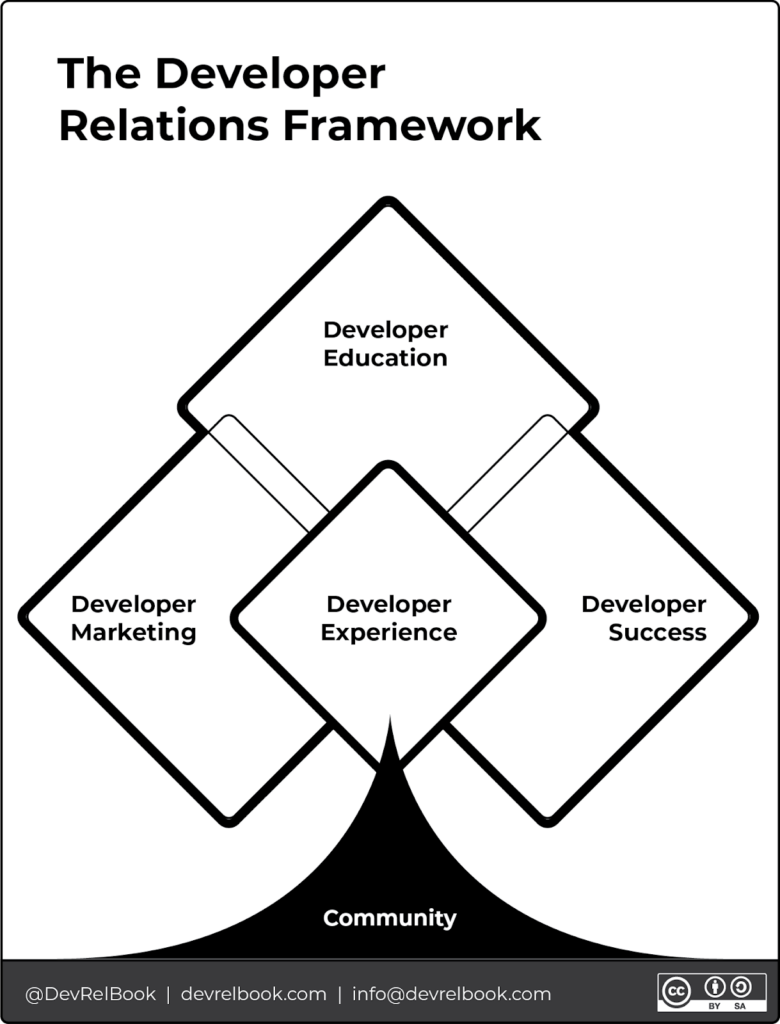See See [The DevRel Book ](https://www.devrel.agency/book)website for more resources.Most of us fall into DevRel sideways — usually as engineers, sometimes as teachers (that’s me), occasionally from support or comms. Then we specialize in whichever branch fits our background. Teachers gravitate toward dev ed. Engineers often land in dev experience. Developer marketing is its own strange beast because developers, famously, hate being marketed to, and pulling that off without insulting your audience is a real skill.
The thing I want people to take from this: if you’re doing the work — speaking, writing, organizing, answering questions in a community Slack — you’re already doing DevRel, even if nobody’s put it in your title yet. That was true for Chris, and it was true for me long before GoDaddy.
## The AI conversation (with Claude literally open in the background)
Full disclosure, I made on the show: I had Claude running on the side during the recording, hitting accept on a couple of issues. I’m not going to pretend I don’t use these tools.
Here’s some of what I actually use AI for:
- **Captioning and transcription** for Learn.WordPress.org videos and Big Orange Heart’s Wordfest events back during the pandemic. This is where I started, and it’s still one of the most defensible uses I make of it.
- **Knowledge work.** I run a daily review loop — RSS, YouTube, dev.to, daily.dev — and send things I want to keep into Readwise, which auto-creates structured notes in my Obsidian vault. I still manually highlight the things that matter. AI is the scaffolding, not the thinking.
- **Descript** for video editing — eye contact correction (within reason) and fixing the moments where I called Airo AI Builder “Airo” instead of saying the full product name.
- **Claude Code on a hosted environment**, not on my laptop. I’ve got it set up against my Elestio instance where I’m running Penpot, Activepieces (an OSS Zapier competitor), and n8n. I can hand off long-running work and go do something else.
- **Vibe coding plugins.** [Post Formats for Block Themes](https://courtneyr.dev/2025/12/03/post-formats-for-block-themes/). The [XFN plugin](https://courtneyr.dev/2025/12/11/the-web-remembers-who-we-are-building-xfn-for-wordpress-in-2025/) (real old-school internet, IndieWeb-adjacent). Another one I’m almost done with. I would not have shipped these as fast as I have without AI. I also wouldn’t have shipped them at all without going back and asking AI to walk me through Playwright, Jest, PHPUnit, and security testing — the things I know engineers do but had never done myself.
- **Research at the product-manager level.** I borrowed this from how Tammy Lister and Nick Hamze used AI during [Blocktober](https://blocktober.fun) — having it survey the Gutenberg issue queue and adjacent plugins to identify the actual gaps before building. That’s a better use of AI than blindly asking it to write code.
- **Translating my brain to humans.** I info-dump. AI is decent at turning that into something a doctor or a coworker can actually parse. Nothing sensitive, no medical specifics — just “help me phrase these questions like a person who isn’t me.”
## The license problem Juliette keeps warning us about
Chris brought up [their recent conversation with Juliette Reinders Folmer](https://www.youtube.com/watch?v=aVVjsfza8aA) on a previous episode, which is worth watching in full. Her concern, distilled: AI was trained on the open web, including a lot of open-source code under various licenses, and *those licenses aren’t all compatible with each other*. When you let AI write code for you, you have no real visibility into the provenance of what it’s giving you, and no certainty that the license under which you ship your project is actually compatible with the code embedded inside it.
She’s right. I don’t have a clean answer. What I told Chris is what I genuinely do: I prompt for license awareness. Look up the license on every piece of code you’re pulling from. Tell me if it’s MIT, GPL, Apache, or something else. Flag conflicts. That is not the same as Juliette reviewing my code — Juliette doesn’t want to review my code, she’s the maintainer of [WPCS](https://developer.wordpress.org/coding-standards/wordpress-coding-standards/) and [PHPCS](https://developer.wordpress.org/coding-standards/inline-documentation-standards/php/), and a small number of people in the world understand that intersection of the language and the standards the way she does. But it’s better than not asking at all.
I also suspect, watching the early case law on AI-generated work, that the courts are going to land roughly on “we can’t trace it, so the license doesn’t attach.” That is probably not the answer that protects open source. It’s just the answer that’s easier to enforce. I’d love to be wrong.
## The maintainer gap
This is the part I keep turning over.
[cURL had to shut down its HackerOne bug bounty program](https://github.com/curl/curl/pull/20312) because AI-generated “vulnerability reports” were drowning the maintainers. The Matplotlib maintainer was harassed by an OpenClaw bot for not accepting a pull request. These are load-bearing pieces of the internet. WordPress calls cURL. When something goes wrong with it, suddenly, people can’t upload zip files to their WordPress sites.
What worries me most is the widening gap AI is creating between developers and the people who maintain the tools their products depend on. AI can find the package, install the library, and patch the missing pieces—so you can ship without ever seeing the maintainers behind it. That means not knowing who keeps your stack running, who is close to burnout, or how to support the work through thanks, funding, or contributions.
That’s not an AI problem, exactly. It’s an “always was” problem that AI is accelerating. But it’s worth naming, because the answer — if there is one — has to include developers deliberately closing that distance back up. Read the changelogs. Read the GitHub issues. Know whose work you’re standing on.
## Where to listen and what’s next
The full episode is up on YouTube above, and Chris publishes Community + Code at [communitycode.dev](https://communitycode.dev/). Go subscribe. He’s having exactly the conversations our corner of the internet needs more of.
A few things I’m working on that came up in passing on the show:
- Another plugin, almost done, aimed at the IndieWeb crowd.
- The [7.0 testing coordination work](https://godaddy.com/resources/news/wordpress-7-0-real-time-collaboration-arrives-in-core), which is mostly invisible but is the kind of glue work I keep arguing matters.
If you took anything from this episode, I’d love to hear it — either in [The WP Community Collective](https://thewpcommunitycollective.com) space, on Mastodon, or wherever you find me. And if you’re new to DevRel and feeling like a wallflower at your first event: find me. I owe Chris a chain of paying it forward, and I’m always happy to add to it.
- May 12, 2026
Ate
### fish & chips
Birthday lunch
Birthday lunch
Molly Pitcher Brewing Company, Carlisle, PA
- ## [LLM Wiki: From Brain Fog to AI-Organized Second Brain Clarity](https://courtneyr.dev/2026/04/15/llm-wiki-ai-second-brain-obsidian/)
April 15, 2026
The **LLM Wiki** pattern changed how I think about notes, documents, and AI. I’ve been running four different productivity frameworks in parallel for years, and they’ve been politely ignoring each other like strangers at a dinner party. PARA held my folders. Zettelkasten held my ideas. GTD held my tasks. Readwise held my highlights. And I held my breath, hoping it would all connect someday.
It finally did. But not the way I expected.
[Andrej Karpathy](https://gist.github.com/karpathy/442a6bf555914893e9891c11519de94f) (co-founder of OpenAI, former AI director at Tesla, occasional poster of ideas that rearrange your brain) published a pattern he calls the LLM Wiki. The short version: instead of making AI re-read your documents every time you ask a question, you have the AI build and maintain a persistent wiki from those documents. The knowledge compounds. The connections stay. Nothing starts from scratch.
However, the long version is this blog post. Grab your favorite mug: coffee, tea, or something more mysterious. I’m not here to judge (well, maybe just enough to keep things interesting).
## 🤔 The problem the LLM Wiki solves
Here’s what happens when you upload files to ChatGPT, NotebookLM, or any RAG (retrieval augmented generation) tool: you ask a question, it searches your files, pulls out some relevant chunks, stitches them together, and gives you an answer.
That works. Once.
Ask a similar question tomorrow, and the AI does all of that work again from scratch. It retains no memory of yesterday’s answer. There’s no accumulated understanding. In effect, every question is a first date with your documents.
In other words, if you’ve ever tried to connect ideas from five different PDFs, three podcast episodes, and that one article you bookmarked at 11pm, you know this is exactly the kind of thing AI *should* be good at. But with RAG, the system has to find and reassemble those connections every single time. Think of it as a librarian with amnesia who’s great at finding books but can’t remember that you were here yesterday asking about the same topic.
## 🛠️ Karpathy’s LLM Wiki fix (and why it clicked for me)
Karpathy’s idea is simple enough to explain in one paragraph and, more importantly, powerful enough to restructure how I work.
Instead of searching raw documents every time, you have the AI read your documents **once** and build a structured wiki from them. When you add a new source (a PDF, a blog post, a transcript, a podcast summary), the AI doesn’t just file it away. Rather, it reads the source, extracts key ideas, updates existing wiki pages, creates new ones for new concepts, links related ideas together, and flags contradictions.
As a result, the wiki keeps growing. The synthesis is already done before you ask your next question. When you do ask, the AI pulls from compiled, cross-referenced knowledge instead of a pile of unprocessed files.
His framing stuck with me: **Obsidian is the IDE. The LLM is the programmer. The wiki is the codebase.** You don’t write the wiki. The AI writes the wiki. You decide what to feed it and what to ask it.
(If you’ve never used Obsidian, that’s fine. It’s a free note-taking app that works with plain markdown files. Think of it as a really smart folder of text files with a pretty graph view. You’ll see.)
## 📚 The LLM Wiki has three layers (and yes, that’s it)
The whole architecture is just three folders:
**Raw sources:** your original documents. PDFs, articles, transcripts, clipped web pages, whatever you’re working with. These are sacred. Read-only. The AI reads them but never touches them. Consider this your source of truth.
**The wiki:** a folder of markdown files that the AI creates and maintains. Entity pages for people and organizations. Concept pages for ideas and frameworks. Source summaries. Comparative analyses. Timelines. An index. All interlinked with \[\[wikilinks\]\]. The AI owns this folder entirely. You read it. The AI writes it.
**The schema:** a single document that tells the AI how to operate. What’s the wiki about? What does the folder structure look like? How should pages be formatted? What should happen when a new source arrives? If you’re using [Claude Code](https://docs.anthropic.com/en/docs/build-with-claude/claude-code/overview), this file is called CLAUDE.md and it gets read automatically when you open the project.
In short, that’s all it takes: three folders and one rules document. If you know how to click ‘New Folder,’ you’re already overqualified.
## ❓”But Courtney, why do you have ELEVEN of them?”
Fair question. Admittedly, I may have gotten a little carried away. (My ADHD brain heard “persistent compounding knowledge” and responded with “YES, FOR EVERYTHING.”)
But actually, there’s a real reason. I work across wildly different domains: open source policy, theology, developer relations, cross-CMS infrastructure, neurodiversity research for my family, personal wellness, and more. Each domain has its own vocabulary, its own source types, and its own rules for what counts as a good analysis.
For example, a theology source needs to identify which tradition it comes from. Meanwhile, a competitive intelligence source needs a signal confidence rating. And a neurodiversity source needs to note which family member it applies to. Clearly, one wiki can’t hold all of those rules without turning into a mess.
Because of this, I built one wiki per domain, each with its own tailored schema. They all live in my [Obsidian](https://obsidian.md) vault under 1. Projects/. They all follow the same three-layer architecture. But each one thinks differently about its sources.
**You absolutely do not need eleven. Start with one:** just one topic where your knowledge is playing hide-and-seek across too many places. The rest can wait, or simply never happen. Trust me: one LLM Wiki that grows is infinitely better than eleven imaginary ones.
## 🗂️ My 11 LLM Wiki topics (because you’re going to ask)
1. **WordPress & Open Source Governance:** contributor programs, foundation relationships, legal conflicts, policy decisions
2. **Theology, Deconstruction & Faith Formation:** my journey from charismatic traditions toward progressive Christianity
3. **FAIR Project & Cross-CMS Infrastructure:** the [Linux Foundation](https://www.linuxfoundation.org/) project connecting WordPress, Drupal, Joomla, and Typo3
4. **DevRel & Competitive Analysis:** developer relations programs across the hosting and CMS industry
5. **Open Source Sustainability & Economics:** funding models, maintainer health, OSPO structures, contributor economics
6. **Neurodiversity & Parenting:** research and strategies for our neurodivergent family, connecting therapy approaches to nervous system science
7. **Product Intelligence:** product portfolio tracking and developer experience mapping
8. **Personal Brand & Public Speaking:** conference talks, blog strategy, content pillars, voice development
9. **WordPress Training & Curriculum:** learning pathways, instructional design, contributor onboarding
10. **Wellness, ADHD Management & Nutrition:** fitness, nutrition science, and ADHD strategies that survive low-executive-function days (if you know, you know)
11. **PKM & Productivity Tooling:** the meta-wiki that tracks how all the other wikis work (yes, I built a wiki about my wikis, no I’m not sorry)
## 🔍 What makes each LLM Wiki actually different
Surprisingly, this is the part that caught me most off guard. The *schema* (that rules document) makes an enormous difference. It’s not just “please make wiki pages.” It’s specific instructions for how the AI should think about each domain.
My **theology wiki** requires every claim to name its theological tradition (progressive, evangelical, mainline, academic). It also flags manipulation patterns when analyzing materials from high-control groups. Beyond that, it maintains a running evaluation of worship music for my church’s music team, tracking which songs pass theological review, which don’t, and why.
Similarly, the **neurodiversity wiki** tags every page with which family member it applies to. Every concept page ends with a “What this means for us” section, because a research paper is only useful if it turns into something actionable at 7am on a Tuesday.
On the other hand, the **DevRel wiki** rates competitive intelligence by confidence level (strong, moderate, weak) and generates experiment briefs. It automatically flags anything older than 90 days as potentially stale, because [this industry](https://courtneyr.dev/category/devrel/) moves fast.
Then there’s the **wellness wiki**, which knows what fitness equipment I own, rates every strategy for ADHD sustainability (will I actually keep doing this on a bad brain day?), and classifies nutrition content by THM fuel type. Because a wiki that doesn’t know your constraints can’t give you useful advice.
Ultimately, the schema is where you teach the AI *how you think about this domain*. The better your schema, the smarter the wiki. And importantly, the schema evolves as you refine it over time.
## 🤝 The LLM Wiki: where all my productivity frameworks finally talk to each other
Here’s what nobody’s written about yet. The LLM Wiki isn’t just an AI trick. **It’s the missing layer that connects PARA, Zettelkasten, GTD, and Building a Second Brain into a single working system.**
I’ve been running all of these for years. They were never fully integrated. They all had their own territory, like neighbors who wave but never come over for dinner. The LLM Wiki is the dinner party.
### 📦 PARA gives you the containers
Tiago Forte’s [PARA method](https://fortelabs.com/blog/para/) (Projects, Areas, Resources, Archives) answers *where does this go?* In other words, it’s a filing system. A really good filing system. But filing isn’t synthesizing.
Specifically, each wiki lives under Projects. It reads from Areas and Resources but never writes to them. PARA holds the structure. The LLM Wiki does what PARA never could: connect ideas across folders.
### 🧠 Zettelkasten gives you the thinking
Niklas Luhmann’s Zettelkasten, beautifully explained in Sönke Ahrens’ [*How to Take Smart Notes*](https://www.soenkeahrens.de/en/takesmartnotes), gave me the habit of writing atomic notes. Essentially, it’s one idea per note with dense links between them. Fleeting notes capture raw thoughts. Literature notes process what I read. Permanent notes hold durable insights.
Currently, my vault has 400+ atomic notes. They’re well-structured and they link to each other. Yet for years they sat there, quietly being correct but not *actively working for me*. Now the LLM Wiki reads my entire Zettelkasten layer as source material during its daily scan, identifying which atomic notes are relevant to which wiki and weaving their insights into the compiled knowledge.
Ahrens wrote that the payoff of note-taking should be exponential as connections accumulate. In theory, he was right. But maintaining those connections by hand? That’s the part where every Zettelkasten practitioner eventually stalls. The AI, on the other hand, does not stall.
### ✅ GTD gives you the actions
David Allen’s [Getting Things Done](https://gettingthingsdone.com/) answers *what do I do next?* I run GTD through [Things 3](https://culturedcode.com/things/). Projects, next actions, weekly reviews, the whole deal.
GTD doesn’t manage knowledge. Instead, it manages commitments. But knowledge work *generates* commitments constantly. When a wiki lint check flags contradictions between two pages, that’s a next action. If a daily scan surfaces a source that needs deeper reading, that becomes a project. And once an analysis page reveals a research gap, that’s a someday/maybe.
Allen said your mind is for having ideas, not holding them. To take that further: your mind is for asking good questions, not maintaining cross-references.
### 👩💻 Building a Second Brain gives you the pipeline
Forte’s [*Building a Second Brain*](https://www.buildingasecondbrain.com/) framework (CODE: Capture, Organize, Distill, Express) gave me the pipeline from raw input to finished output. Specifically, [Readwise](https://readwise.io/) captures my highlights. PARA organizes them. Then progressive summarization distills them.
The LLM Wiki turbocharged the Distill stage. Previously, progressive summarization was manual: bold the key passages, highlight the bolds, and write a summary. I’d do it for maybe 10% of what I read. Meanwhile, the other 90% sat unprocessed, theoretically available but practically invisible.
Now, as a result, every source gets distilled automatically. The AI reads the full text, extracts key claims, creates a summary, and links it to entity and concept pages. That’s progressive summarization at machine speed, across everything, not just the sources I had time for.
### 🐢 Slow Productivity provides the permission
Cal Newport’s [*Slow Productivity*](https://calnewport.com/slow/) says: do fewer things, work at a natural pace, obsess over quality.
To be clear, I do not maintain 11 wikis. The AI maintains 11 wikis. I maintain zero. I read things I would read anyway and highlight what interests me. The wikis feed themselves from my normal workflow. In essence, Slow Productivity means the system should not demand extra effort from you. This one does not.
### 📖 How to Read a Book provides the depth
Here’s one for the deep readers. Mortimer Adler’s [*How to Read a Book*](https://en.wikipedia.org/wiki/How_to_Read_a_Book) describes four levels of reading. The highest level, **syntopical reading,** means reading multiple sources on the same topic and constructing an analysis that none of them individually contain.
That’s exactly what the LLM Wiki does on every ingest. Five articles about [open source](https://courtneyr.dev/category/open-source/) governance enter the wiki. The AI doesn’t just summarize each one. Rather, it identifies agreements, contradictions, gaps, and questions none of the sources asked. Syntopical reading used to be something only researchers with months of time could do. Now it happens overnight.
## 🧩 How the LLM Wiki connects them all
FrameworkWhat it doesWhere it lives**PARA**Organizes everything into containersObsidian vault folders**Zettelkasten**Produces atomic, linked thinking3. Resources/ subfolders**BASB**Captures and progressively distillsReadwise → Snipd → Obsidian**GTD**Turns insights into actionsThings 3, fed by wiki lint**LLM Wiki**Synthesizes across all of the above1. Projects/llm-wiki-\*/**Slow Productivity**Keeps the whole thing sustainableThe AI does the maintenance**How to Read a Book**Adds syntopical depth to every sourceWiki analysis pagesThe LLM Wiki doesn’t replace any of these frameworks. It’s the **connective tissue** that makes them a system instead of a collection. PARA organizes. Zettelkasten thinks. BASB captures. GTD acts. The wiki synthesizes. And Slow Productivity keeps you sane.
## 🔑 The vault-aware trick that made the LLM Wiki actually work
Karpathy’s pattern assumes you manually drop files into a raw/ folder. That’s fine for a fresh start. But I’ve been taking notes in Obsidian for years. My vault already had [Readwise syncing article highlights](https://publish.obsidian.md/courtneyr-dev/3.+Resources/resources), [Snipd](https://www.snipd.com/) syncing podcast clips, hundreds of Zettelkasten notes, sermon notes, Bible study notes, and a full PARA structure.
So each wiki’s schema tells the AI where to look *beyond* the raw folder. Essentially, every LLM Wiki can read (never write) from my existing vault:
- **2. Areas/** for ongoing responsibilities and interests
- **[3. Resources/](https://publish.obsidian.md/courtneyr-dev/3.+Resources/resources)** for Readwise highlights, Snipd clips, atomic notes, literature notes, and fleeting notes
- **5. Inbox/** for unprocessed captures
Consequently, my regular reading workflow (highlight in Readwise, clip in Snipd) feeds the wikis automatically. No extra steps. No special exports. The notes I was already writing became raw material for something bigger.
If you already have an Obsidian vault with any amount of content, you’re not starting from zero. Your vault is the raw material. Your LLM Wiki compiles it. If you’re curious what this looks like in practice, I publish a large portion of my vault publicly at [publish.obsidian.md/courtneyr-dev](https://publish.obsidian.md/courtneyr-dev), including [Readwise article highlights](https://publish.obsidian.md/courtneyr-dev/3.+Resources/Readwise/Articles/The+Messy+WordPress+Drama,+Explained+-+The+Verge), [book notes](https://publish.obsidian.md/courtneyr-dev/3.+Resources/Readwise/Books/Life+After+Doom), and [sermon notes](https://publish.obsidian.md/courtneyr-dev/2.+Areas/Sermon+Notes/2024-11-24+Totenfest). You can browse it to see what raw sources look like before the LLM Wiki processes them.
## 📱 Beeper: the part that made my friends say “wait, what?”
This is where it gets a little wild. Stay with me.
I use [Beeper](https://www.beeper.com/) to aggregate dozens of Slack workspaces and Discord servers into one app. Open source communities, WordPress channels, DevRel groups, and project-specific servers all live in one unified inbox.
Seven of my eleven wikis run a **daily Beeper scan**. In practice, the AI reads all group chat messages from the last 24 hours across every connected workspace. Then it uses judgment (not keyword matching) to identify what’s relevant to each wiki’s domain.
A conversation about a foundation policy change? The governance wiki picks it up. Someone debating maintainer compensation models? The sustainability wiki files it. A thread about a new translation platform? The FAIR wiki captures it.
After all, Slack conversations are the most ephemeral form of institutional knowledge. They scroll past, they disappear into history, and three months later, nobody can find that one thread where the important decision was made. The LLM Wiki makes them durable.
(If you don’t use Beeper or Slack, feel free to skip this part entirely. The wikis work great with just vault sources. The Beeper layer is simply a bonus for people drowning in chat channels.)
## 🕒 Daily automated maintenance
Each wiki runs as a [Claude Cowork](https://claude.com/product/cowork) project with a scheduled task. As a result, every morning each wiki:
1. **Scans the vault** for new or modified content
2. **Scans Beeper** for relevant conversations (7 of 11 wikis)
3. **Ingests** everything relevant by creating and updating wiki pages
4. **Lints** the wiki by finding orphan pages, dead links, contradictions, and stale content
5. **Writes a summary** of what changed
I wake up to wikis that grew overnight. My reading, my conversations, and my research are all synthesized while I slept.
Of course, if you’re not ready for automated scheduling, that’s completely fine. You can do everything manually: drop a source in raw/, tell the AI to ingest it, and watch the pages appear. Scheduling is the luxury version. Manual is where everyone starts.
## 🚀 How to build your first LLM Wiki (the un-overwhelming version)
You don’t need 11 wikis. Beeper integration and scheduled tasks are completely optional. And you certainly don’t need to have read every productivity book I just referenced.
You need **one folder and one source document** to start your first LLM Wiki. Here’s the setup:
**Step 1:** Create a folder in your Obsidian vault (or any folder on your computer, since the wiki is just markdown files):
```
llm-wiki-[your-topic]/
├── raw/
├── wiki/
│ ├── entities/
│ ├── concepts/
│ ├── sources/
│ ├── analysis/
│ └── timelines/
└── CLAUDE.md
```
**Step 2:** Write your CLAUDE.md. Start simple. Here’s a minimal version:
```
# CLAUDE.md
## Purpose
This wiki is about [your topic].
Build structured, interlinked markdown pages from the sources in raw/.
## Rules
- raw/ is read-only. Never modify source documents.
- wiki/ is yours to create and maintain.
- Every page starts with a 2-3 sentence summary.
- Link related pages with [[wikilinks]].
- Flag contradictions between sources.
- Update wiki/index.md on every ingest.
```
Believe it or not, that’s a perfectly good starting schema. Over time, you can add entity lists, analysis frameworks, formatting rules, and vault-aware source paths as you learn what your wiki needs. The schema evolves. That’s part of the process.
**Step 3:** Drop one source document into raw/. An article, a PDF, a transcript. Whatever you’ve got.
**Step 4:** Open [Claude Code](https://docs.anthropic.com/en/docs/build-with-claude/claude-code/overview) in a terminal and tell it to ingest:
```
cd path/to/llm-wiki-your-topic && claude
```
Then say: *“I added a new source to raw/. Please read it and update the wiki.”*
Alternatively, use [Claude Cowork](https://claude.com/product/cowork) to create a project, point it at the folder, paste your CLAUDE.md into custom instructions, and just start talking. No terminal needed.
**Step 5:** Watch the wiki pages appear in Obsidian. Check the graph view. See the connections forming.
That’s it. One source becomes a handful of pages. Two sources turn into a small crowd of cross-references. By the fifth, your graph view starts to look uncannily like it’s sprouting new branches overnight. And by the tenth, you’ll know exactly why I couldn’t stop at one.
## 💡 The part where the LLM Wiki changes how you think
I want to be honest about something. At first, the first wiki I built felt like a novelty. Cool graph view. Nice pages. Fun demo.
For me, the shift happened around the third ingest, when I asked a question that spanned multiple sources. The AI answered it instantly, citing wiki pages that had already done the synthesis. I didn’t wait for it to search. I didn’t hope it found the right chunks. The answer was already *compiled*.
That’s the word Karpathy uses, and it’s the right one. The LLM Wiki is compiled knowledge. RAG, by contrast, is interpreted on the fly. The difference feels like looking something up in an encyclopedia versus asking someone to read five books and summarize them while you wait.
Your questions compound. Over time, your reading compounds too. Even your conversations compound. And the tedious part (the cross-referencing, the consistency-checking, the “wait, didn’t that other article say something different?”) happens automatically.
Karpathy compared this to Vannevar Bush’s 1945 vision of the [Memex](https://en.wikipedia.org/wiki/Memex): a personal knowledge store with associative trails between documents. Bush imagined it. Luhmann approximated it with index cards. Forte systematized it with folders. Ahrens refined it with atomic notes. Allen freed up the mental space for it. I’ve even explored what that [associative, relationship-driven web](https://courtneyr.dev/2025/12/11/the-web-remembers-who-we-are-building-xfn-for-wordpress-in-2025/) looks like in my own [WordPress plugin work](https://courtneyr.dev/2025/12/03/post-formats-for-block-themes/).
Nevertheless, none of them solved the maintenance problem at scale. The AI does.
And you really can start with one folder, one source, and ten minutes.
- ## [The Web Remembers Who We Are: Building XFN for WordPress in 2025](https://courtneyr.dev/2025/12/11/the-web-remembers-who-we-are-building-xfn-for-wordpress-in-2025/)
December 11, 2025
Here’s something I’ve been thinking about: we’ve spent the last fifteen years building elaborate platforms to tell the internet who our friends are, what we’re eating, and which former classmates we’d rather avoid. We handed our social graphs to corporations, who promptly monetized them, sold them, and occasionally leaked them. And the whole time, buried in the HTML spec, sitting there since 2003 like a patient houseplant, was an excellent way to just… say how we know people. That’s why I built an XFN WordPress plugin.
It’s called XFN. XHTML Friends Network. And I built a WordPress plugin for it because I went down a fediverse rabbit hole and realized we’ve been doing this the hard way.
> [Link Extension for XFN](https://wordpress.org/plugins/link-extension-for-xfn/)
## The Spark
I didn’t wake up one morning thinking “the world needs more microformats.” I got to XFN the way most of us get to old web standards: by accident, through Mastodon, while trying to understand why `rel="me"` actually matters.
If you’re on Mastodon or anywhere in the fediverse, you’ve probably done the little verification dance. You put a link on your website back to your Mastodon profile with `rel="me"`, and Mastodon checks that your site links back to your profile, and boom—you get that satisfying green checkmark. No central authority. No verification badge marketplace. Just two sites pointing at each other, saying, “yep, same person.”
That’s when it clicked for me. Not the mechanism—I understood the mechanism. It was the *philosophy*. We don’t need Twitter (sorry, “X”) to tell us who we are. We don’t need Meta to map our social graphs. We just need websites that can say “I know this person” and “this is me” in a language browsers already speak.
So I started digging into `rel` attributes, which led me to microformats, which led me to the IndieWeb, which led me—inevitably—to XFN. And reader, I fell hard.
## What Even Is XFN?
XFN is beautifully simple. You know how you link to people on your website? Your blogroll, your “about” page, that list of contributors, the little footer links to your Twitter and GitHub? XFN just adds one tiny attribute to describe *how* you know those people.
Instead of this:
```
Sarah
```
You write this:
```
Sarah
```
That’s it. You’ve just told the web that Sarah is someone you consider a friend and have met in person. No database. No API. No OAuth flow. Just plain HTML doing what HTML was designed to do: marking up meaning.
The [XFN specification](https://microformats.org/wiki/xfn) gives you options for friendship levels (contact, acquaintance, friend), professional relationships (co-worker, colleague), family (parent, sibling, spouse, kin), romantic relationships (muse, crush, date, sweetheart), whether you’ve met physically, and—crucially—`rel="me"` for links to your own content.
XFN was the [first microformat](https://en.wikipedia.org/wiki/XHTML_Friends_Network), introduced in December 2003. It emerged during the blogroll era, when people discovered that the web could be social *without* being a platform. Just people linking to people. Distributed. Messy. Human.
And then Facebook happened. And Twitter happened. And we forgot that the web already knew how to do this.
## Why It Matters in 2025 (Or: The Fediverse Figured Something Out)
Here’s what the fediverse gets that corporate social media never will: **identity should be portable, and relationships should be ours.**
When you verify your website on Mastodon using [`rel="me"`](https://docs.joinmastodon.org/user/profile/), you’re participating in something quietly revolutionary. You’re creating a bidirectional link—a handshake between two places you control—that proves identity without an intermediary. [No central authority hands out “verified” badges](https://fedi.tips/how-do-i-verify-my-account/) in the fediverse because there *is* no central authority. It’s just the web, doing what the web does, but finally being trusted to do it.
This is precisely what [Tim Berners-Lee envisioned with the semantic web](https://www.w3.org/standards/semanticweb/): machines reading meaning from documents, relationships expressed in markup, a web where metadata isn’t something corporations extract from us but something we assert about ourselves.
And here’s where I began to have concerns. Big thoughts. The kind that makes you stare at your screen at midnight and whisper, “What if…”
## **What if XFN is just `rel="me"` for social graphs?**
Think about it:
- `rel="me"` proves identity across domains
- `rel="friend"` could assert relationships across domains
- `rel="colleague"` could map professional networks without LinkedIn
- `rel="spouse"` could express family connections without Facebook’s relationship status dropdown
Right now, Mastodon and other Fediverse platforms must build and maintain their own social graphs. You follow people, they follow back, and it’s all stored in databases. But what if your blog *already* declared who your friends are? What if a fediverse crawler could read XFN attributes and understand social networks that exist outside any platform?
## The Dream: Distributed Social Graphs
I know what you’re thinking. “Courtney, this sounds like the semantic web fantasy that never happened. We’ve been here before.”
Fair. The semantic web has been “five years away” for twenty-five years. But here’s what’s different now: **the fediverse proved people actually want this.**
We have millions of people who voluntarily left Twitter for a more complex, federated system because they wanted to own their online presence. People are running their own Mastodon instances, setting up personal websites, adding `rel="me"` links to verify their identity. The IndieWeb community has been doing this quietly for over a decade with [microformats, webmentions, and IndieAuth](https://indieweb.org/XFN).
The appetite is there. The infrastructure is there. What’s missing is just… connecting the dots.
Imagine this:
1. **Social discovery through web crawling**: A fediverse instance could crawl your website and see that you’ve marked ten people as `rel="friend met colleague"`. It could suggest those people to you when you join.
2. **Trust networks**: If three people I’ve marked as `friend met` all mark you as `friend`, that’s a pretty good signal you’re a real human I might want to know. Not an algorithm deciding—just the web saying “these connections exist.”
3. **Portable relationships**: Your social graph isn’t locked in a platform’s database. It lives in your HTML. You control it. You can export your WordPress site and your relationships come with you.
4. **Privacy by default**: Unlike Facebook’s social graph that assumes everything is fodder for ads, XFN relationships only exist where you publish them. Want to keep your family relationships private? Don’t put them in public HTML. Want to shout from the rooftops that someone’s your best friend? Add `rel="friend met muse"` and make it semantic.
This isn’t science fiction. This is just the web doing what it was always supposed to do, using standards that have existed for over twenty years.
## Why WordPress? Why Now?
WordPress [powers 43% of the web](https://w3techs.com/technologies/details/cm-wordpress). If we want XFN actually to get used—if we want distributed social graphs to be more than a nerdy dream—it needs to be where people already are, building websites, writing posts, linking to each other.
The block editor (Gutenberg) made this possible in a way the old Classic Editor never could. I could add XFN options directly into the link interface, make it collapsible so it doesn’t clutter the UI, add it to Button blocks and Navigation menus and anywhere people link to other humans.
And look, I’m a developer advocate for open source. It’s literally my job to help people get their message out, to make technology more accessible. Building this plugin was me practicing what I preach: the web should be open, standards should be usable, and you shouldn’t need a computer science degree to participate in the semantic web.
Plus—and I’m just being real here—I was *annoyed*. Annoyed that every conversation about social graphs assumes we need an app for it. Annoyed that we keep rebuilding the same walls around the same gardens when the web already gave us the fence posts.
## What I Actually Built
The [Link Extension for XFN](https://github.com/courtneyr-dev/xfn-link-extension) is a WordPress plugin that adds XFN relationship options to the block editor. Every link—in paragraphs, buttons, navigation menus, lists, embeds—gets a collapsible XFN section where you can mark your relationships.
It’s designed to be:
- **Unobtrusive**: Collapsible interface that stays out of your way
- **Accessible**: Full keyboard navigation, screen reader support, WCAG 2.2 AA compliant
- **Standards-based**: Just outputs clean HTML `rel` attributes
- **Plays well with others**: Preserves existing `rel` values like `nofollow` and `noopener`
You can use it right now. It’s free, open source, GPL licensed. I built it for personal bloggers and IndieWeb enthusiasts who want their websites to speak the language of relationships.
## The Part Where I Get Idealistic
Here’s what keeps me up at night in a good way:
What if we’re at an inflection point? What if the corporate social web is actually dying, and the fediverse isn’t just a niche but the beginning of something that *takes*?
The pieces are all there:
- **ActivityPub** gives us federated social networking
- **`rel="me"`** gives us distributed identity verification
- **Webmentions** give us cross-site conversations
- **Microformats** give us semantic metadata
- **XFN** gives us portable social graphs
We don’t need to invent anything new. We just need to *use* what the web already provides.
And yeah, I know. I’m not naive. Adoption is hard. Standards wars are real. Getting people to care about semantic markup when TikTok exists is an uphill battle. But the fediverse showed us that people will do harder things if they believe in the “why.”
The “why” here is pretty compelling: **What if your friendships weren’t assets on Meta’s balance sheet? What if your professional network wasn’t LinkedIn’s moat? What if the web just… remembered who we are to each other?**
## What Happens Next
Honestly? I don’t know. Maybe this plugin helps five people, and three of them are me on different websites. Maybe it sparks something bigger. Maybe someone builds a fediverse bot that crawls XFN relationships and does something wild with them.
What I do know is this: every time someone uses `rel="friend"` or `rel="colleague"` or `rel="me"`, they’re participating in a web that’s a little more semantic, a little more human, a little more *ours*.
The web has always been better at remembering than we give it credit for. We just have to tell it what matters.
---
## Try It Yourself
If you’re running WordPress with the block editor, you can [install the Link Extension for XFN](https://github.com/courtneyr-dev/xfn-link-extension) right now. Add it to your blogroll. Mark your friends. Link to yourself with `rel="me"`. Join the weird little corner of the web that still believes in semantic markup and distributed social graphs.
And if you’re building something in the fediverse or IndieWeb space—a crawler, an aggregator, a social reader—consider looking for XFN relationships. Let’s see what happens when the web finally gets to be social on its own terms.
The web remembers who we are. We just have to remind it.
---
## Sources & Further Reading
- [How to verify your account on Mastodon – Fedi.Tips](https://fedi.tips/how-do-i-verify-my-account/)
- [Mastodon Profile Setup Documentation](https://docs.joinmastodon.org/user/profile/)
- [XFN Specification – Microformats Wiki](https://microformats.org/wiki/xfn)
- [XHTML Friends Network – Wikipedia](https://en.wikipedia.org/wiki/XHTML_Friends_Network)
- [rel-me on IndieWeb](https://indieweb.org/rel-me)
- [XFN on IndieWeb](https://indieweb.org/XFN)
- [Get verified on Mastodon with your website – Opensource.com](https://opensource.com/article/22/11/verified-mastodon-website)
- ## [Post Formats for Block Themes: My First WordPress Plugin After 11 Years](https://courtneyr.dev/2025/12/03/post-formats-for-block-themes/)
December 3, 2025
Post formats for block themes have been missing since Full Site Editing launched, and I finally built the solution. I’ve been contributing to WordPress training since 2014. I wrote lesson plans for Learn.WordPress.org. I teach people how to build with WordPress. I’ve spent over a decade helping others create plugins and extend WordPress.
But I’d never actually published my own plugin.
That changed last week when **[Post Formats for Block Themes](https://wordpress.org/plugins/post-formats-for-block-themes/)** went live on WordPress.org.
> [Post Formats for Block Themes](https://wordpress.org/plugins/post-formats-for-block-themes/)
## Post Formats for Block Themes: What’s Been Missing
I’ve known that post formats were missing from block themes since they launched. If you’ve been using WordPress long enough, you remember when [Twenty Thirteen](https://wordpress.org/themes/twentythirteen/) introduced post formats and how few themes actually supported them well. The feature always lived awkwardly between theme territory and core functionality.
Then block themes arrived with Full Site Editing, and post formats just… weren’t there. The feature that let you create beautifully formatted quotes, galleries, status updates, and chat logs got left behind.
That’s why I built Post Formats for Block Themes—to solve this gap properly.
Select your format when you add a new post.## The Feature That WordPress Forgot (And Then Kind of Remembered)
Post formats were introduced in WordPress [version 3.1](https://wordpress.org/news/2011/02/threeone/), back in 2011, [through Trac ticket #14746](https://core.trac.wordpress.org/ticket/14746). They were controversial from day one—the community accused WordPress of [“chasing Tumblr”](https://wptavern.com/why-arent-post-formats-in-wordpress-more-popular) by adding nine standardized content types (aside, gallery, link, image, quote, status, video, audio, and chat) that mirrored Tumblr’s post types almost exactly.
The feature never quite worked. In 2013, [WordPress 3.6 was supposed to launch a revamped Post Formats UI](https://make.wordpress.org/core/2013/01/07/wordpress-3-6-the-post-formats-ui-feature/), but release lead Mark Jaquith [pulled it during the Release Candidate stage](https://make.wordpress.org/core/2013/05/29/post-formats-ui-is-exiting-core-will-live-as-a-plugin/) with a [remarkably candid admission](https://wptavern.com/mark-jaquith-on-wordpress-3-6-postmortem-and-post-formats-ui): “The result just isn’t compelling, or obvious, or any of the things that it should be. It’s not just a matter of polish; it seems to be a fundamental issue with the concept.”
### From Core Feature to Forgotten Functionality
Then post formats entered limbo. They stayed in core but stopped being developed. Theme support became spotty at best. When block themes launched with Full Site Editing, [post formats just… weren’t there](https://github.com/WordPress/gutenberg/issues/53049). [Twenty Eighteen through Twenty Twenty-Four](https://developer.wordpress.org/themes/functionality/post-formats/) all dropped support completely. WordPress educator Morten Rand-Hendriksen even [filed Trac ticket #32844](https://core.trac.wordpress.org/ticket/32844) formally proposing the removal of post formats from core entirely.
The irony? In 2019, [Automattic acquired Tumblr itself](https://www.tumblr.com/photomatt/186964618222/automattic-tumblr)—the platform WordPress was accused of copying—for approximately $3 million (down from [Yahoo’s $1.1 billion purchase](https://wptavern.com/automattic-acquires-tumblr-plans-to-rebuild-the-backend-powered-by-wordpress)). They [announced plans](https://automattic.com/2024/08/27/shipping-tumblr-and-wordpress/) to migrate Tumblr’s 500+ million blogs to WordPress infrastructure, then [quietly shelved the project](https://techcrunch.com/2025/07/01/automattic-puts-tumblr-migration-to-wordpress-on-hold/) due to costs. Matt Mullenweg [recently called it](https://techcrunch.com/2025/10/20/automattic-ceo-calls-tumblr-his-biggest-failure-so-far/) his “biggest failure or missed opportunity.” The feature that was supposed to make WordPress more Tumblr-like remains in core, barely used, while actual Tumblr bleeds money under Automattic’s ownership.
Then came [Twenty Twenty-Five](https://wordpress.org/documentation/article/twenty-twenty-five/), which quietly [restored support for all nine post formats](https://make.wordpress.org/core/2024/08/15/introducing-twenty-twenty-five/) using block patterns and [Query Loop filtering](https://github.com/WordPress/gutenberg/pull/64167). It was a signal that maybe—just maybe—post formats still mattered. But the implementation was incomplete. Block themes still don’t have [proper format-specific templates](https://github.com/WordPress/gutenberg/issues/53049). The old UI limitations remain. And developers who want to actually use post formats properly are left cobbling together their own solutions.
That’s the gap this plugin fills.
## Why Post Formats Matter to Me
This isn’t just scratching a random itch. I wrote the first two lesson plans about post formats for Learn.WordPress.org:
- [Post Formats User](https://learn.wordpress.org/lesson-plan/post-formats-user/)
- [Post Formats Theme](https://learn.wordpress.org/lesson-plan/post-formats-theme/)
I love post formats. They’re elegant. They solve a real problem: different content types need different presentations. A quote post shouldn’t look like a gallery. A status update shouldn’t have the same layout as a long-form article.
More importantly, I need this to work with the IndieWeb and Fediverse Activity Plugins I’m building with. Post formats are foundational to how I want to publish content across decentralized web protocols.
## What It Actually Does
Post Formats for Block Themes brings all 10 classic post formats to modern block themes:
- Quote
- Gallery
- Status
- Chat
- Link
- Image
- Video
- Audio
- Aside
- Standard
But it’s not just a port of old functionality. It’s been rebuilt for how we use WordPress now. Here’s what makes Post Formats for Block Themes different from just enabling the old feature:
### The Chat Log Block
This is the feature I’m most excited about. I wanted to include video captions, so I built a chat log parser that handles transcripts from Slack, Discord, Microsoft Teams, WhatsApp, Telegram, Signal, and even subtitle formats like SRT and VTT.
You paste a conversation transcript:
```
john.doe 9:30 AM
Hey team, great job on the project!
jane.smith 9:32 AM
Thanks! Couldn't have done it without everyone's help.
```
And it formats it properly with semantic HTML and styling. Perfect for documenting team discussions, customer support conversations, or interview Q&As.
1. john.doe9:30 AM
Hey team, great job on the project!
2. jane.smith9:32 AM
Thanks! Couldn't have done it without everyone's help.

### Auto-Detection That Doesn’t Force Your Hand
The plugin analyzes your content and automatically suggests formats. It can detect quotes with attribution, short status updates, and links. But it never forces a choice. You’re always in control.
### Templates and Patterns
For developers: the plugin adds format-specific templates to the Site Editor (`single-format-quote.html`, etc.) and includes block patterns for each format using the modern WordPress API.
Want quote posts to have a different layout? Edit the template. Want galleries full-width? Done.
## The Hard Parts
The hardest part wasn’t the code itself. It was mentally organizing how everything fits together with the new post pattern, modal, patterns, and templates. And then QA testing the chat log block to make sure it actually parsed all those different formats correctly.
The architecture took time to get right. WordPress has evolved so much in the past few years. Patterns, template parts, and the Site Editor. It all needed to work together cohesively.
## Why I Open-Sourced It
The plugin is on WordPress.org *and* [fully open source on GitHub](https://github.com/courtneyr-dev/post-formats-for-block-themes).
This needs to remain truly open source. I want people to learn from it, contributors to improve it, and—honestly—WordPress Core to review it and consider including native post format support in block themes.
Post formats have been in WordPress since 3.1 (2011). They shouldn’t disappear just because we moved to block themes.
## What I Want You to Do
If you’ve been missing post formats in block themes: **[install this and use it](https://wordpress.org/plugins/post-formats-for-block-themes/)**.
If you’re learning WordPress plugin development, **[read the code on GitHub](https://github.com/courtneyr-dev/post-formats-for-block-themes)**. See how a modern plugin works with patterns, templates, and the block editor.
And if you’ve been thinking about publishing your own plugin but haven’t yet, take this as your sign. I waited 11 years. Don’t wait that long.
This is a monumental personal milestone for me. After over a decade of teaching others how to build with WordPress, I finally shipped my own plugin. It feels good.
## Try It
Install from WordPress:
1. **Plugins > Add New**
2. Search “Post Formats for Block Themes”
3. Install and activate
Or via WP-CLI:
```
wp plugin install post-formats-for-block-themes --activate
```
Or clone from GitHub:
```
git clone https://github.com/courtneyr-dev/post-formats-for-block-themes.git
```
## What’s Next
I’m already thinking about better integration with [ActivityPub](https://activitypub.rocks/), [POSSE](https://indieweb.org/POSSE), and the broader [IndieWeb](https://indieweb.org/) ecosystem. That’s where this really gets interesting for me.
But for now, I’m just happy this exists. And that I finally shipped my first plugin.
---
## **Resources:**
- [WordPress.org Plugin Page](https://wordpress.org/plugins/post-formats-for-block-themes/)
- [GitHub Repository](https://github.com/courtneyr-dev/post-formats-for-block-themes)
- [Report Issues](https://github.com/courtneyr-dev/post-formats-for-block-themes/issues)
If this helps you, [leave a review](https://wordpress.org/support/plugin/post-formats-for-block-themes/reviews/#new-post) on WordPress.org or [star the repo](https://github.com/courtneyr-dev/post-formats-for-block-themes). And if you find bugs or have ideas, I want to hear about them.
---
That’s the story. Now it’s your turn. What are you waiting to ship?
- ## [This Week in WordPress 347: Evan](https://courtneyr.dev/2025/09/09/this-week-in-wordpress-347-evan/)
September 9, 2025
> [This Week in WordPress #347](https://wpbuilds.com/2025/09/09/this-week-in-wordpress-347/)
## 🎙️ Tech Troubles & WordPress Wins — My Take on “This Week in WordPress” #347
The episode opened with classic live-show gremlins—glitchy audio, misbehaving embeds, and post-WordCamp brain fog. The chaos set an oddly perfect tone: WordPress work is messy in real life, yet progress continues to happen. The links below point to the original sources Nathan gathered for the show, so you can jump straight to the good stuff.
---
## 🔒 Security pulse
Security stories landed fast and practical this week. Melapress published its 2025 survey, a crowdsourced snapshot of what WordPress pros actually worry about. An interesting tension emerged: uptime often takes priority over compliance on lists, even as regulations ramp up. Worth a skim if client conversations keep drifting to “just keep the site up.” ([Patchstack](https://patchstack.com/articles/sql-injection-vulnerability-patched-in-paid-membership-subscriptions-plugin))
Patchstack flagged a critical SQL injection that’s already patched in the **Paid Membership Subscriptions** plugin. If the plugin resides in a stack, update it before finishing this paragraph.
For a broad overview, SolidWP’s weekly report compiles plugin and theme vulnerabilities, providing the usual “is this in my stack?” triage value. ([WP Builds](https://wpbuilds.com/2025/09/09/this-week-in-wordpress-347/?share=facebook))
Beyond WordPress, Cloudflare detailed how an attacker used a Salesloft/Drift → Salesforce integration path to access data. The write-up serves as a sober reminder that vendor chains can create a significant blast radius. Audit who gets access to what, not just what runs on a server. ([The Delta](https://www.delta.blog/wp-engine-thoughts-on-the-motion-to-dismiss-hearing))
---
## 🧰 Tools & tinkering
Alex Kirk shipped a handy update to the **Playground Step Library**: it’s now consumable as an npm package *and* has a friendlier UI for crafting blueprints. Spinning up shareable, pre-configured WordPress sandboxes just got easier for demos, training, and support. ([Alex Kirk](https://alex.kirk.at/2025/09/05/npm-install-playground-step-library))
Publishing pipeline pro-tip: the official **Google Docs → WordPress.com/Jetpack** add-on still exists, quietly saving teams who draft in Docs and publish on WordPress. If collaboration happens in Docs today, this is “less yak-shaving, more shipping.” ([WP Builds](https://wpbuilds.com/2025/09/09/this-week-in-wordpress-347/))
Two bite-size block/dev nuggets:
- **block.json** primer for plugin authors who want cleaner block registration and better runtime behavior. Tight, technical, functional. ([WP Builds](https://wpbuilds.com/2025/09/09/this-week-in-wordpress-347/))
- **BlaBlaBlocks Tabs** adds accessible tabs to the editor with templates. Suitable for content teams that insist on “less scroll, more structure.” ([WP Builds](https://wpbuilds.com/2025/09/09/this-week-in-wordpress-347/))
And a pair of utility updates:
- **WooCommerce 10.2 pre-release** is ready for testing (product collection carousel, faster Cart block, better onboarding). Staging sites love this kind of week. ([WP Builds](https://wpbuilds.com/2025/09/09/this-week-in-wordpress-347/))
- **DB Reset Pro** offers one-click database resets while preserving uploads—useful for demo sites, but strictly for folks who respect backups. ([WP Builds](https://wpbuilds.com/2025/09/09/this-week-in-wordpress-347/))
---
## 🌐 AI & the wider web
For context-seekers, the **Financial Times** explainer on transformers remains a crisp on-ramp for understanding why modern AI feels different. Pair that with Simon Willison’s running list of “vibe-coded” AI-assisted tools if experimental dev workflows spark joy. ([WP Builds](https://wpbuilds.com/2025/09/09/this-week-in-wordpress-347/))
Publishers vs. crawlers continues to simmer. This op-ed walks through Cloudflare’s proposal to change the economics of AI scraping—food for thought for anyone whose content now fuels chat answers more than search clicks. ([WP Builds](https://wpbuilds.com/2025/09/09/this-week-in-wordpress-347/))
---
## 🧑🦯 Accessibility & community
Joe Dolson shipped **WP Accessibility 2.2.0** with notable changes, and the **WP Accessibility Docs** project posted an August update—a good pulse check for teams improving baseline a11y instead of bolting it on at the end. ([WP Builds](https://wpbuilds.com/2025/09/09/this-week-in-wordpress-347/))
The Accessibility Team also introduced new team representatives, with clear expectations about their roles. Community health beats shiny features in the long term; leadership clarity helps contributors pick a lane. ([Make WordPress](https://make.wordpress.org/accessibility/2025/08/28/introducing-accessibility-team-reps-for-2025-2026))
---
## 🌍 Multilingual & content ops
**WPML 4.8** leans into AI translation with a “better than human” claim and a credit-based model. Whether that line lands or not, translation quality continues to improve, and teams with big content catalogs finally have options beyond “someday.” ([WP Builds](https://wpbuilds.com/2025/09/09/this-week-in-wordpress-347/))
---
## 🗓️ Events & extras
**LoopConf (London, Sept 25)** brings a focused, dev-heavy lineup. If a trip is on the calendar, **WPLDN** (the evening before) is an easy add-on for hallway-track energy. ([WP Builds](https://wpbuilds.com/2025/09/09/this-week-in-wordpress-347/))
Two bonus links from the “not WordPress, still delightful” shelf:
- **Web Day Out** (Brighton, Mar 12, 2026): a one-day love letter to what browsers can do *today*. Front-end folks, this scratches the right itch. ([WP Builds](https://wpbuilds.com/2025/09/09/this-week-in-wordpress-347/))
- **Mitch Ivin’s Windows XP portfolio**: pixel-perfect nostalgia as a portfolio site. Pure craft, pure fun. ([WP Builds](https://wpbuilds.com/2025/09/09/this-week-in-wordpress-347/))
- ## [Wearing Many Hats, Literally – WPBuilds This Week in WordPress 307](https://courtneyr.dev/2024/09/03/wearing-many-hats-literally-wpbuilds-this-week-in-wordpress-307/)
September 3, 2024
> [This Week in WordPress #307](https://wpbuilds.com/2024/09/03/this-week-in-wordpress-307/)
- ## [DoTheWoo: From WordPress to Drupal, Insights and Innovations with Malcolm Peralty](https://courtneyr.dev/2024/08/29/dothewoo-from-wordpress-to-drupal-insights-and-innovations-with-malcolm-peralty/)
August 29, 2024
In this episode of “Open Talk on Open Source,” I interview Malcolm Peralty, who shares his journey from WordPress to Drupal and his insights into the evolving landscape of open-source content management systems. The discussion covers Malcolm’s extensive experience in both communities, his transition to Acquia, and the future of Drupal, including its Starshot initiative. The conversation also highlights the importance of mentorship, community support, and cross-platform learning in the open-source ecosystem.
https://dothewoo.io/from-wordpress-to-drupal-insights-and-innovations-with-malcolm-peralty/
To illustrate the real-world outcomes of migrating from WordPress to Drupal, we can look at three structured, metric-backed case studies:
- **Case Study 1:** A small e-commerce site migrated from WordPress to Drupal, resulting in a 30% increase in page load speed and a 25% reduction in bounce rate, as evidenced by analytics dashboards. The migration scope included a full content audit, with a duration of 3 months, using tools like Migrate Plus and Migrate Tools.
- **Case Study 2:** A nonprofit organization transitioned to Drupal, which improved their content management efficiency by 40%, allowing them to publish updates more frequently and engage their audience better. Governance was established through regular stakeholder meetings and feedback loops.
- **Case Study 3:** A corporate website focused on accessibility improvements post-migration, achieving a 50% increase in user engagement and a 20% boost in SEO rankings due to better content governance and structured data implementation.
Provide a lightweight migration framework (phases, milestones, and checklists) with a downloadable checklist and a sample project plan to convert WordPress content types to Drupal content types.
Include clear CTAs: download a migration planning template, sign up for a free migration assessment consult, and a link to a dedicated resource hub on open-source CMS migrations, with A/B tested wording.
**Technical Deep Dive:** This section outlines step-by-step migration considerations, including data mapping, content type strategy, and migration tools. Below are some code snippets and configuration examples for common CMS migration tasks:
```
const migrationConfig = {
source: 'WordPress',
destination: 'Drupal',
mappings: {
posts: 'node--article',
pages: 'node--page'
}
};
// Example of a migration tool usage
migrate(migrationConfig);
```
- ## [Questions about WordPress: do answers exist?](https://courtneyr.dev/2024/05/21/questions-about-wordpress-do-answers-exist/)
May 21, 2024
I’ve been pondering a few questions about WordPress lately.
- Why is the [DEIB Working Group](https://web.archive.org/web/20240917180811/http://github.com/wordpress/deib-issue-tracker) not yet permitted to be more of an official team with a proper team site on Make.WordPress.org?
- What are the criteria for becoming one?
- Is DEIB a sub-team of the [Community](https://web.archive.org/web/20240917180811/https://make.wordpress.org/community) team?
- Do [Tide](https://web.archive.org/web/20240917180811/https://make.wordpress.org/tide) and [CLI](https://web.archive.org/web/20240917180811/https://make.wordpress.org/cli) teams need a team site or are they more working groups?
- What’s happening with the [Mobile](https://web.archive.org/web/20240917180811/https://make.wordpress.org/mobile) team since the split from Jetpack? Where is the WordPress app headed in light of [WP Playground?](https://web.archive.org/web/20240917180811/https://playground.wordpress.net/)
- Why does [Core Performance](https://web.archive.org/web/20240917180811/https://make.wordpress.org/performance) have a team site that goes unused?
- Are they a sub-group of Core?
- Who reads the [Updates](https://web.archive.org/web/20240917180811/https://make.wordpress.org/updates) site? This blog is used by for project-wide communication and collaboration. Cross-team coordination is managed here through weekly team updates, posts from leadership, and public discussion of topics that relate to many teams.
Projects that affect multiple WordPress.org contributor teams and are being discussed on this site.
- Who is the current intended audience?Are teams still to [post there every week](https://web.archive.org/web/20240917180811/https://arc.net/l/quote/fykkyskb)? How does /Updates differ from /[Project](https://web.archive.org/web/20240917180811/https://make.wordpress.org/project)?
> This p2 is for [all-project communications and cross-team collaboration](https://web.archive.org/web/20240917180811/https://make.wordpress.org/project/2021/06/03/welcome-to-make-wordpress-org-project/). It’s a place to host and find discussions that affect all teams, and WordPress’ “back-office” work more transparent.
>
> This blog is not associated with any one team, but rather with all the teams, and may be used for topics ranging from short-term initiatives to long-term maintenance work.
- If the [Marketing](https://web.archive.org/web/20240917180811/https://make.wordpress.org/marketing) team’s proposal is to trial archive it, why was the new *trial* [Media Corps](https://web.archive.org/web/20240917180811/https://make.wordpress.org/media-corps/) (public relations) team given its own Make site without scoping the trial and deciding upon results? And why was the same not done for DEIB?
- How do other open-source projects organize sub-committees of the broader project? What could we learn that has worked and has not worked by having charters, documentation, and procedures for teams?I don’t really know off-hand how other projects organize their version of teams. But I’m interested in learning the pros/cons.
- ## [Exploring Developer Relations: Shaping Open Source and WordPress Communities](https://courtneyr.dev/2024/02/12/developer-relations-open-source-wordpress/)
February 12, 2024
1. [Developer Relations: job descriptions, areas of focus](https://courtneyr.dev/2024/02/12/developer-relations-open-source-wordpress/#developer-relations-job-descriptions-areas-of-focus)
2. [Why do we need Developer Relations?](https://courtneyr.dev/2024/02/12/developer-relations-open-source-wordpress/#why-do-we-need-developer-relations)
3. [Looking ahead in Developer Relations](https://courtneyr.dev/2024/02/12/developer-relations-open-source-wordpress/#looking-ahead-in-developer-relations)
4. [Let’s dig in to DevRel](https://courtneyr.dev/2024/02/12/developer-relations-open-source-wordpress/#let-s-dig-in-to-devrel)
Developer Relations (DevRel) is all about connecting tech companies with developers. It’s a key part of making sure techies have the tools they need and feel part of a community where their ideas and work are appreciated. DevRel pros build this important bridge, ensuring smooth communication and collaboration. Especially in open-source areas like WordPress, they play a huge role in bringing together different people to innovate and respect each other’s contributions, making tech better for everyone.
As highlighted by [Joost de Valk in his article on the need for more DevRel within WordPress](https://joost.blog/wordpress-needs-more-dev-rel/), there’s a gap in awareness and implementation of DevRel practices. Much like Community Management and other career paths, Developer Relations is a profession wider than the WordPress community. It is key within many technology companies and not limited to web development.
This is the first post in a blog series, aiming to illuminate the DevRel field, explaining its roles, impact, and how it can foster growth and innovation within WordPress. By doing so, I hope to bridge the knowledge gap and showcase the value of DevRel in nurturing the community and enhancing collaboration.
## Developer Relations: job descriptions, areas of focus
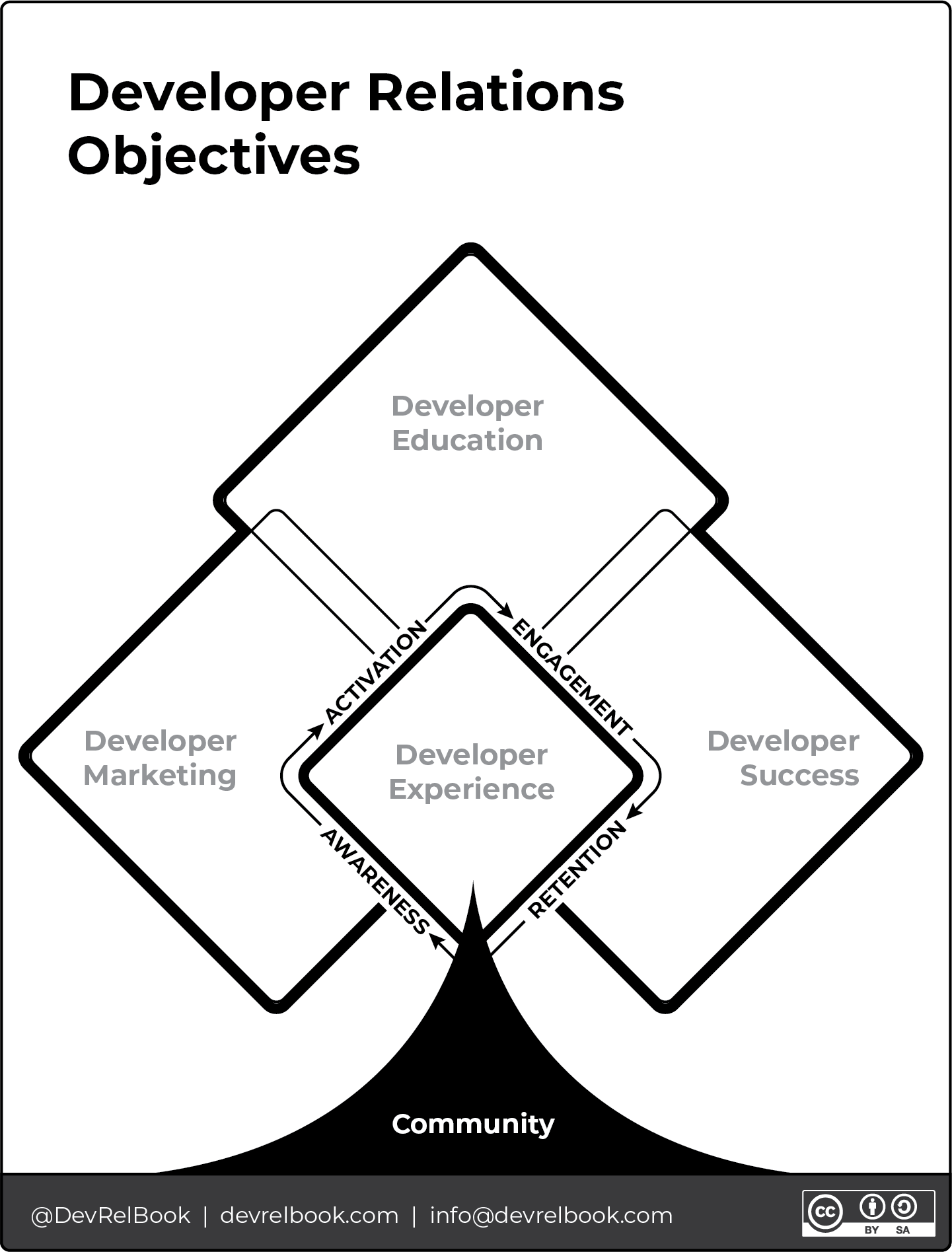[Developer Journey Map \[PNG\] \[PNG\]](https://github.com/Apress/Developer-Relations/blob/main/Developer%20Relations%20Objectives.png)
- **Developer Advocates/Evangelists**: Promote technology via content, speaking at events, and social media. *This is the broad job title, while the remainder of titles here are specific areas of focus.*
- **Developer Education**: Offers resources for learning and effective product use.
- **Technical Writers**: Create documentation, tutorials, and guides for developers’ understanding and use.
- **Developer Marketers**: Specialize in communicating within developer communities.
- **Event Marketers**: Specialize in promoting and increasing event attendance, creating memorable experiences that align with developer interests.
- **Field Marketing**: Engages directly with potential users or developers in the field, often at events or meetups, to build relationships and gather product feedback.
- **Developer Experience Engineers**: Enhance developers’ product interaction, focusing on SDKs, APIs, and usability.
- **Program Managers**: Organize DevRel activities like events and sponsorships.
- **Open Source Program Directors or Managers** mix open source into company strategy, ensure rules are followed, boost community ties, and push for both internal and external open source contributions.
## Why do we need Developer Relations?
Developer Relations is pivotal internally for fostering product innovation and understanding user needs, externally for building and nurturing a developer community around a product, and within an open-source ecosystem for encouraging collaboration, contributions, and shared advancement. It ensures that products are developer-friendly and meet community expectations, enhances brand loyalty, and drives technological growth through collective input and effort.
Contributing to WordPress as a Developer Advocate at GoDaddy aligns with my role’s core objectives: enhancing GoDaddy’s offerings and understanding WordPress better. It’s about engaging with the community, sharing knowledge, and directly contributing to WordPress’s growth. This involvement helps me gain insights into users’ needs and challenges, ensuring GoDaddy’s services remain relevant and beneficial for WordPress users. It’s a reciprocal relationship where both GoDaddy and the WordPress community benefit from shared expertise and improvements.
## Looking ahead in Developer Relations
Throughout this series, I’ll cover topics like:
- A day in the life of a Developer Advocate
- Community Management within DevRel
- Developer Advocates contributing to WordPress and Open Source
- Developer Advocates working for WordPress hosts and extenders
- DevRel Strategies for Success
- DevRel Resources, Tools, and Technologies
- Building and Nurturing Developer Communities
- Contributing to WordPress: A Guide for Developer Advocates
- Future Trends in Developer Relations and WordPress
## Let’s dig in to DevRel
As I wrap up this introduction to Developer Relations, I’m excited to delve deeper into its significance within the WordPress community and beyond. Together, we’ve explored how DevRel bridges the gap between tech companies and developers, fostering collaboration and innovation. Join me on this journey as we uncover the intricacies of Developer Relations and its profound impact on open-source communities like WordPress. Let’s continue to learn, grow, and shape the future of technology together.
- ## [Stop Saying WordPress Core and Start Saying Empowered WordPress Contributors](https://courtneyr.dev/2023/09/19/wordpress-core-and-wordpress-contributors/)
September 19, 2023
## Not all contributions are WordPress Core
Hey, WordPress enthusiasts and contributors! Let’s talk about the importance of accurate terminology when it comes to [WordPress contributor teams](https://make.wordpress.org). Using the right words isn’t just about being picky; it’s about fostering clarity and unity within our community. So, let’s dive in and explore why getting WordPress contributor teams right matters!
1. [Not all contributions are WordPress Core ](https://courtneyr.dev/2023/09/19/wordpress-core-and-wordpress-contributors/#not-all-contributions-are-wordpress-core)
2. [Overview of Contributor Teams](https://courtneyr.dev/2023/09/19/wordpress-core-and-wordpress-contributors/#overview-of-contributor-teams)
3. [Common Misconceptions](https://courtneyr.dev/2023/09/19/wordpress-core-and-wordpress-contributors/#common-misconceptions)
4. [Importance of Accurate Terminology](https://courtneyr.dev/2023/09/19/wordpress-core-and-wordpress-contributors/#importance-of-accurate-terminology)
5. [Using Proper Team Names](https://courtneyr.dev/2023/09/19/wordpress-core-and-wordpress-contributors/#using-proper-team-names)
6. [Conclusion](https://courtneyr.dev/2023/09/19/wordpress-core-and-wordpress-contributors/#conclusion)
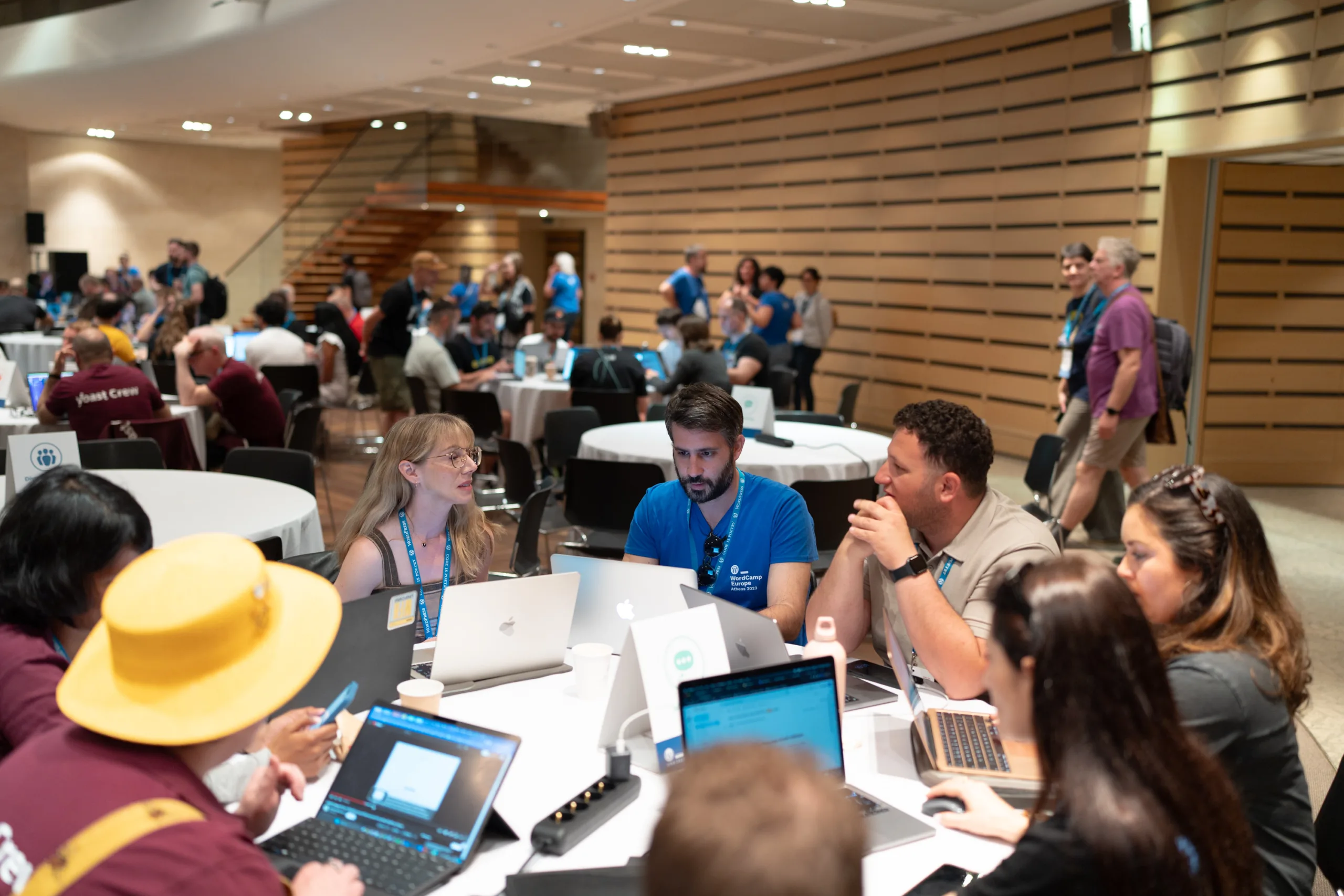WordPress Marketing team table during WordCamp Europe 2023[1](#49ffc2fd-357c-4798-a009-6ec831582715)## Overview of Contributor Teams
Understanding the distinct missions and roles of each team empowers us to work together more effectively. By using accurate language, we can avoid confusion and foster greater collaboration within the WordPress community. Remember, each team has a unique mission and role, and using accurate language shows respect for their contributions.
Let’s begin with an overview of WordPress contributor teams. Each team has a specific mission and role within the WordPress universe. Understanding these distinctions empowers us to work together more effectively. Here’s a snapshot of teams:
# WordPress Project Contributor Teams
Ready to start contributing? Visit the [Get Involved](https://make.wordpress.org/contribute) quiz to help you find your team.
[Make WordPress Teams](https://make.wordpress.org)Additional Teams [Accessibility Team](https://make.wordpress.org/accessibility)[Tide Team](https://make.wordpress.org/tide) [Community Team](https://make.wordpress.org/community) [Documentation Team](https://make.wordpress.org/docs) [Meta Team](https://make.wordpress.org/meta) [Mobile Team](https://make.wordpress.org/mobile) [Hosting Team](https://make.wordpress.org/hosting) [Photos Team](https://make.wordpress.org/photos)[ Security Team](https://make.wordpress.org/security) [Performance Team](https://make.wordpress.org/performance) [Plugins Team](https://make.wordpress.org/plugins) [Support Team](https://make.wordpress.org/support)[Marketing Team](https://make.wordpress.org/marketing) [Core Team](https://make.wordpress.org/core)[Training Team](https://make.wordpress.org/training) [Themes Team](https://make.wordpress.org/themes)[ CLI Team](https://make.wordpress.org/cli) [TV Team](https://make.wordpress.org/tv)[Meta Team](https://make.wordpress.org/meta) [Test Team](https://make.wordpress.org/test)[Openverse Team](https://make.wordpress.org/openverse) [Sustainability Team](https://make.wordpress.org/sustainability)These teams play vital roles in WordPress development, community building, and project health.
Want to see the latest news from all the teams? Visit the [Latest Make WordPress news](https://make.wordpress.org/latest).
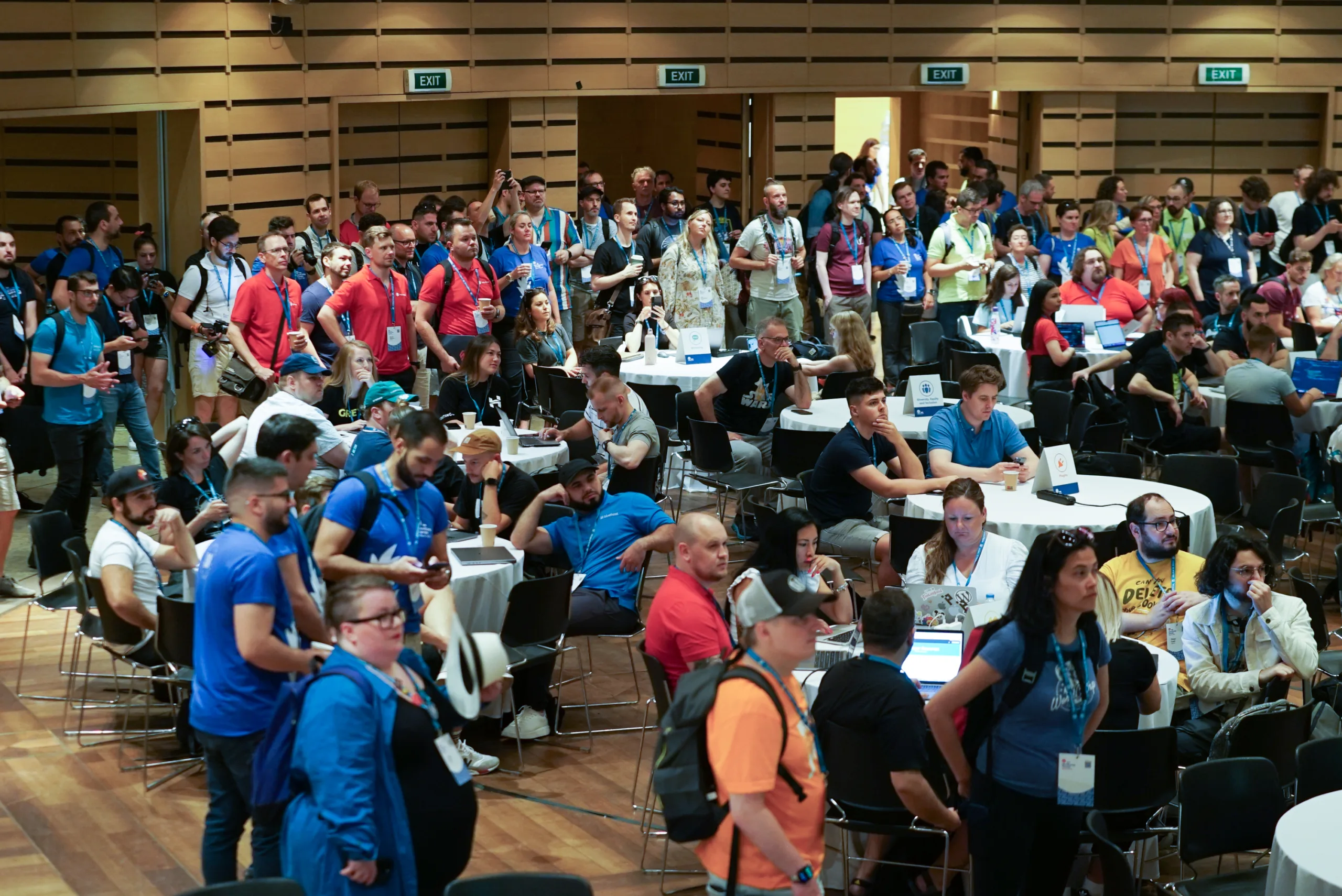Team tables visible include Plugins, Openverse, Marketing, and more## Common Misconceptions
It is important to note that there is a common misconception among some members of the WordPress community that all teams fall under the “WordPress Core” umbrella. However, this is inaccurate and can lead to confusion and missed opportunities for collaboration. It is crucial to understand the distinct missions and roles of each team to work together effectively.
- **Myth 1:** “Everything is WordPress Core.”
- *Clarification (For Contributors):* It’s essential to recognize that WordPress consists of various contributor teams, each with its focus and expertise. While the Core Team is central, there are many other specialized teams, such as the Design Team, Accessibility Team, and Marketing Team, actively working to improve different aspects of WordPress. Collaborating with these teams opens up opportunities for a more impactful contribution.
- *Clarification (For Community Members):* For those new to WordPress, it’s crucial to understand that WordPress is a collaborative effort involving various teams. While the Core Team is at its core, many other specialized teams contribute to different areas. This diversity of teams means that there are multiple ways for you to engage and support WordPress beyond just the core development work.
- **Myth 2:** “The WordPress Core Team does everything.”
- *Clarification (For Contributors):* While the Core Team plays a pivotal role in WordPress development, it doesn’t handle everything alone. Collaborative efforts involve specialized teams like the Design Team, Accessibility Team, and Marketing Team, each contributing their unique expertise to enhance different aspects of WordPress. Contributors should explore these teams to maximize their impact.
- *Clarification (For Community Members):* It’s a common misconception that the Core Team handles all aspects of WordPress. In reality, WordPress relies on the collective efforts of various teams. This means that the WordPress community welcomes and encourages contributions from a diverse range of talents, not just coding. Whether you’re into design, documentation, translation, or community building, there’s a place for you to contribute and make a difference.
- **Myth 3:** “Contributing means only coding.”
- *Clarification (For Contributors):* While coding is a valuable form of contribution, it’s far from the only one. WordPress embraces a wide range of contributions, including design, documentation, translation, and community building. Contributors should explore their interests and skills, as there’s a team that can benefit from their unique talents, regardless of whether they write code or not.
- *Clarification (For Community Members):* Don’t be misled into thinking that contributing to WordPress is limited to coding. In fact, WordPress thrives on contributions from individuals with diverse skills and interests. Whether you’re a designer, writer, translator, or community enthusiast, your contributions are valued and can help make WordPress even better for everyone.
## Importance of Accurate Terminology
Time for some real talk! Using the right words isn’t about being picky; it’s about fostering clarity and unity within our community. Here’s why it matters:
- **Collaboration Magic:** Accurate terms help us find the right teammates and work effectively.
- **Avoiding Confusion:** Clear communication minimizes misunderstandings.
- **Building Trust:** Using proper terminology shows respect for each team’s mission and role.
- **Fostering Unity:** Accurate terms help us recognize and appreciate the contributions of all teams.
- **Encouraging Growth:** Understanding the distinct missions and roles of each team empowers us to work together more effectively and achieve greater success.
By using accurate language, we can harness the full potential of the WordPress community and work together to achieve incredible results. So, let’s commit to using the correct terminology and strengthening our community to build clearer communication and greater collaboration!
## Using Proper Team Names
We’re not just here to point out issues; we’re all about solutions! Let’s make a pact to use the correct team names:
- **Example 1:** Instead of “WordPress Core did this,” say, “The \_\_\_\_\_\_\_ Team achieved this.”
- **Example 2:** Replace “WordPress Core meeting” with “Core Team meeting.”
- **Example 3:** Say “Accessibility Team” instead of “WordPress Accessibility.”
- **Example 4:** When speaking of all contributor teams, say “the WordPress project.”
## Conclusion
When it comes to WordPress contributor teams, accurate terminology is crucial. Each team has a specific mission and role within the WordPress universe, and understanding these distinctions empowers us to work together more effectively. Unfortunately, there is a common misconception among some members of the WordPress community that all teams fall under the “WordPress Core” umbrella. However, this is inaccurate and can lead to confusion and missed opportunities for collaboration.
By using the correct terminology, we can avoid confusion and foster greater collaboration within the WordPress community. Remember, each team has a unique mission and role, and using accurate language shows respect for their contributions. Let’s commit to using the right terms and building a stronger, more cohesive WordPress community!
1. [Photos from WordCamp Europe 2023 Photo Gallery](https://www.flickr.com/photos/wceu/albums/72177720310091678/) [↩︎](#49ffc2fd-357c-4798-a009-6ec831582715-link)
- ## [WordPress Block: Bookmark Card](https://courtneyr.dev/2023/05/11/wordpress-block-bookmark-card/)
May 11, 2023
One of my favorite WordPress block plugins is the Bookmark Card by my friend, George Mamadashvili. Have you ever wanted to embed a preview link to a website only to find that WordPress didn’t know how to show a preview of that site how it can do with Twitter, Facebook, or other WordPress websites? That feature is known as oEmbed, and it works on many websites. When it doesn’t work, Bookmark Card can help.
> [Bookmark Card](https://wordpress.org/plugins/bookmark-card/)
^^^ That link worked beautifully as it was embedded from a WordPress site into a WordPress site. WordPress understands how to embed this nicely. But what if you want to display a link as a preview card from a website that doesn’t import pretty previews? For that, the Bookmark Card plugin can really help. Below I have linked to a music service I use to listen while working. I tested the link without the Bookmark Card plugin and my site tried to just convert it to a plain link. Instead, I can make it look like this:
[brain.fm
Music to improve focus, meditation and sleep.
my.brain.fm](https://my.brain.fm/?promotionCode=promo_1KC6DhDxyvLufNfyZ264p2Za&name=Your%20First%20Month%20of%20Brain.fm%20Pro%20for%20$1&displayCost=1.00&description=You%27ve%20been%20referred!%20Get%201%20Month%20of%20Brain.fm%20Pro%20for%20$1&targetPlan=Monthly)Okay, that may not be a well styled example. That would be dependent upon the site to provide. Another example could look like this:
[
State of Continuous Delivery Report 2023: The Evolution of Software Delivery Performance – CD Foundation
Read the fourth State of Continuous Delivery Report, this one is about The Evolution of Software Delivery Performance.
cd.foundation](https://cd.foundation/state-of-cd-2023/)I love the simplicity of Bookmark Card.
- ## [My First WordPress Site](https://courtneyr.dev/2023/05/10/my-first-wordpress-site/)
May 10, 2023
Do you remember your first encounter with WordPress? I do. Looking back at how different things were then, I truly believe it’s grown much easier to get started. And we have so much more control when considering design options. This post is [day 2 of the FromBlogsToBlocks campaign, celebrating WordPress 20th anniversary.](https://make.wordpress.org/marketing/2023/05/09/day-2-wp20-from-blogs-to-blocks/)
I first installed WordPress on my own domain in 2006, I believe. At the time, WordPress was still exclusively a blogging platform. Pages were not yet introduced, nor were widgets or custom post types. I had to build the database and configure my config file manually. At the time, many folks opted to install WordPress within a folder of their website. At the time, I believe my site was configured to be `courtneyengle.com/wordpress`. The top site was built with, get this, Joomla. But the blog content portion was WordPress. What a crazy configuration.
The default theme was also commonly referred to as Kubrick. It appeared the way you see in the information below.
> [Default](https://wordpress.org/themes/default/)
It would be at least several years until WordPress was truly ready to shine as a fully-fledged content management system (CMS), and shed the idea that it was just a blogging platform. By 2009 I had moved my WordPress subdomain install to the top level of my domain. I changed themes a few times and began blogging more consistently on the site. Traces of the original installation are still around on my site today. I have since changed my domain name a few times, but I keep the old posts to show how far WordPress and I have come in all that time.
- ## [A WordPress Origin Story: Courtney Robertson](https://courtneyr.dev/2023/05/09/wordpress-origin-story/)
May 9, 2023
If you’ve been in the WordPress community for some time, you’ve like been asked, what’s your WordPress origin story? I have been able to answer that, but had never completed that on [my own WordPress profile](https://profiles.wordpress.org/courane01) until today. This post is part of the [FromBlogsToBlocks campaign](https://make.wordpress.org/marketing/2023/05/08/day-1-wp20-from-blogs-to-blocks/), a celebration of WordPress 20th anniversary.
## My origins in WordPress
In 2006, I stumbled upon open-source software while teaching high school business, computer, and information technology. I was on the hunt for tools that could serve as an extension of my classroom. That’s when I discovered WordPress as the perfect solution for a blog for my students.
The [four freedoms of open source](https://wordpress.org/about), granted by the GPL, caught my attention and got me thinking about the potential of a new societal framework. As a teacher, it was crucial to have access to no-cost licenses for classroom use. On top of that, most of the software I used never let me peek at their code to study how they worked.
During my early years with WordPress, I found that documentation was pretty scarce. There were no handy five-minute installs back then! While I was comfortable teaching HTML and CSS, PHP was uncharted territory for me. I knew how to work with databases and write queries, but PHP code remained a mystery. It took me years to decipher the code and find helpful training materials. My initial challenge was registering sidebars to add widgets to a website using the Revolution theme, but soon, I became hooked on enhancing WordPress.
## Contributing to WordPress
Fast forward to 2009, and I found myself attending two WordCamps. WordCamp Mid-Atlantic had just sold out of tickets, but I was eager to be there. I offered to volunteer at the event and ended up checking attendees in at the door, which turned out to be an amazing networking opportunity. A few months later, I attended WordCamp NYC, where I had the chance to chat with Matt Mullenweg.
“[WordPress training team buttons](https://wordpress.org/photos/photo/13663277e5/)” by [Topher](https://topher1kenobe.com)/ [CC0 1.0](https://creativecommons.org/publicdomain/zero/1.0/?ref=openverse)In 2014, I was back at WordCamp NYC, this time participating in the contributor day. Although I felt intimidated by the discussions about the upcoming REST API, I decided to join the [Marketing](https://make.wordpress.org/marketing) or [Training](https://make.wordpress.org/training) teams. Having taught marketing as part of business education, I was torn but ultimately settled with the Training team. I learned how to keep attending meetings and began writing lesson plans on using post formats, later adding theme support and designs for developers. By 2015, I became a team rep.
Early in 2016, I had the fantastic opportunity to teach WordPress at a vocational career technical school for high school students. We built and modified websites, and students were assessed through projects and quizzes using WordPress as a learning management system (LMS). They learned to install plugins, rate and review them, and tweak the code to suit their needs. We also experimented with multiple themes.
Later, I joined [The Events Calendar](https://theeventscalendar.com), working in support and marketing release communications. I managed the knowledgebase, product pages, and staff training on release changes. While creating technical documents, I got to test new features and report any bugs I found to the developers.
In the spring of 2020, I found myself [teaching WordPress in a high school classroom once again](https://courtneyr.dev/2020/10/26/welcome-to-the-community/). My students were paid interns learning to build websites, and they even presented at WordCamp Philly that summer. I continued with the same bootcamp, instructing a front-end developer curriculum that covered HTML, CSS, PHP, JavaScript, Git, and WordPress. However, I still felt a need for better educational materials and standards for bootcamps funded by government organizations. I knew I needed to get closer to the source.
By 2022, I joined [GoDaddy](https://godaddy.com) as a Developer Advocate. Now, my work involves contributing to Training and other teams, advocating for WordPress as open source software, sponsoring events, and communicating with developer-oriented customers and our internal developer staff.
## WordPress origin story for the future
My WordPress journey has taken many twists and turns over the years, but it’s helped me acquire the skills I need for my current role. I’m passionate about onboarding contributors and supporting people at all skill levels in achieving their goals. Collaborating across teams and with friends around the globe is what makes it all worthwhile.
- ## [WordCamp Buffalo 2023](https://courtneyr.dev/2023/05/07/wordcamp-buffalo-2023/)
May 7, 2023
As a sponsor and speaker at WordCamp Buffalo 2023, I had the privilege of experiencing this exciting event firsthand. From the engaging sessions to the networking opportunities, [WordCamp Buffalo](https://buffalo.wordcamp.org/2023/) was an incredible experience that brought together WordPress enthusiasts and professionals of many different skill levels and background.
Over the past year, I have attended each of the international flagship camps, but find the local camps to really give me time to connect at length with attendees. I spent time in person with multiple friends that previously I’d only interacted with online. Whether over lunch, or in the hallway track, it is always so good to find out how others are WordPressing, what they are creating, and what brings them to a WordCamp.
I was honored to speak during several sessions yesterday. My solo talk was “**Creating Inclusive Education Within An Open-Source Community:The [WordPress Training Team ](https://make.wordpress.org/training)‘s Journey to Creating Accessible and Engaging Educational Materials**.” This topic is the summation of why I have contributed to WordPress since 2009. You can find the content that our team creates at [Learn.WordPress.org](https://Learn.WordPress.org).
And my slides here:
[LearnWP](https://www.canva.com/design/DAFhsyOf9EM/view?utm_content=DAFhsyOf9EM&utm_campaign=designshare&utm_medium=embeds&utm_source=link) by Courtney Robertson
What surprised me about this presentation most was that it really was an introduction to how one part of WordPress is made possible. I wasn’t teaching how to do something with WordPress the software, but rather sharing here is a wealth of educational resources, how these resources are made, and how you can contribute to them as well. I wasn’t sure if the talk resonated with attendees, but had quite a few questions after. Folks are seeing how they can share the specific content within Learn WordPress with their customers, use it themselves for personal learning, and even share it within their [Meetup](https://www.meetup.com/pro/wordpress/) groups. Perhaps I am so close to the work happening on Learn WordPress that I forget what it is like to suddenly discover that this exists. The smiles on faces really is motivation to keep going.
When I wasn’t at the GoDaddy booth or speaking, I had my camera in hand and was popping by other presentations. The members of this community are absolutely its future and strength. Here are a few of the photos I got:
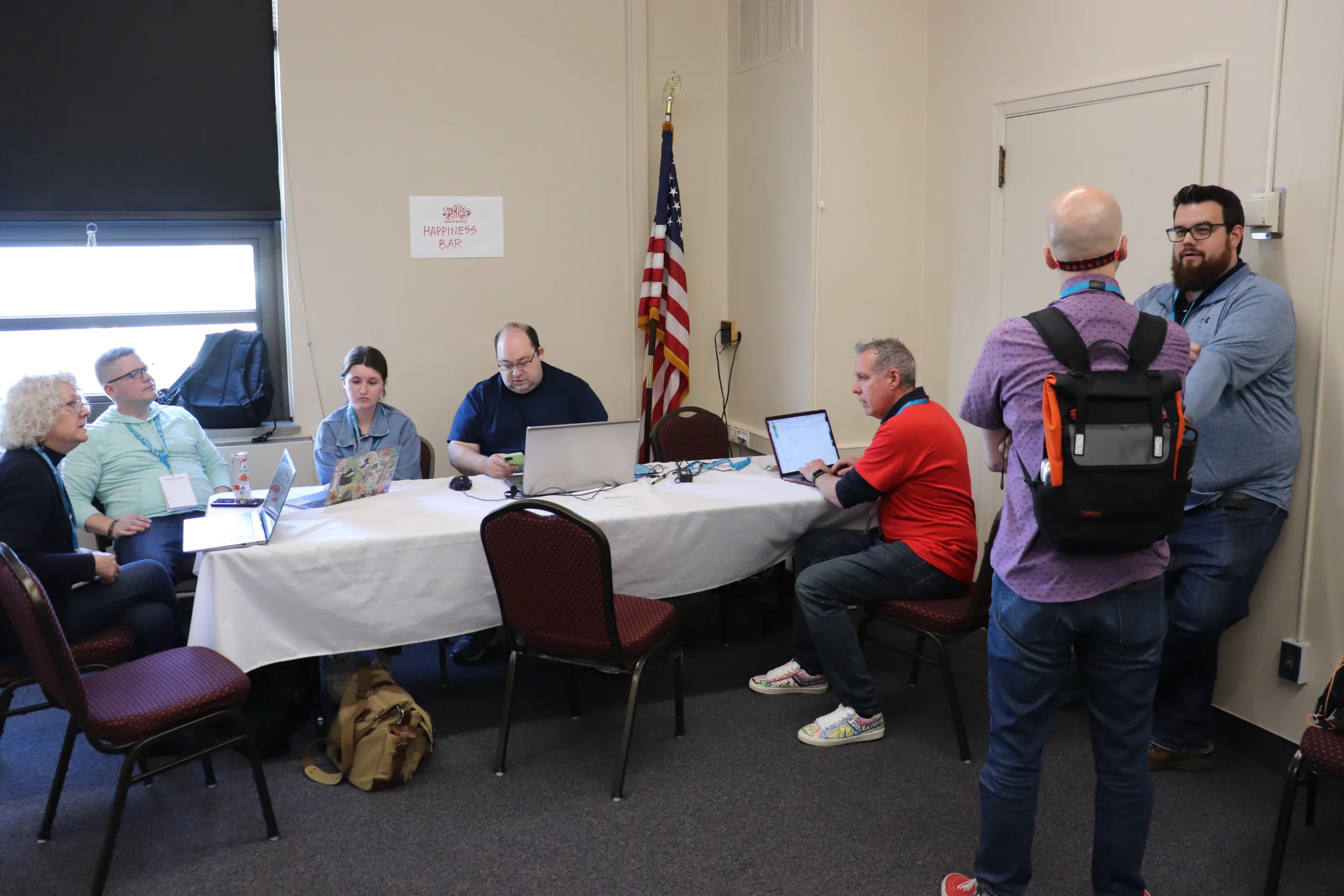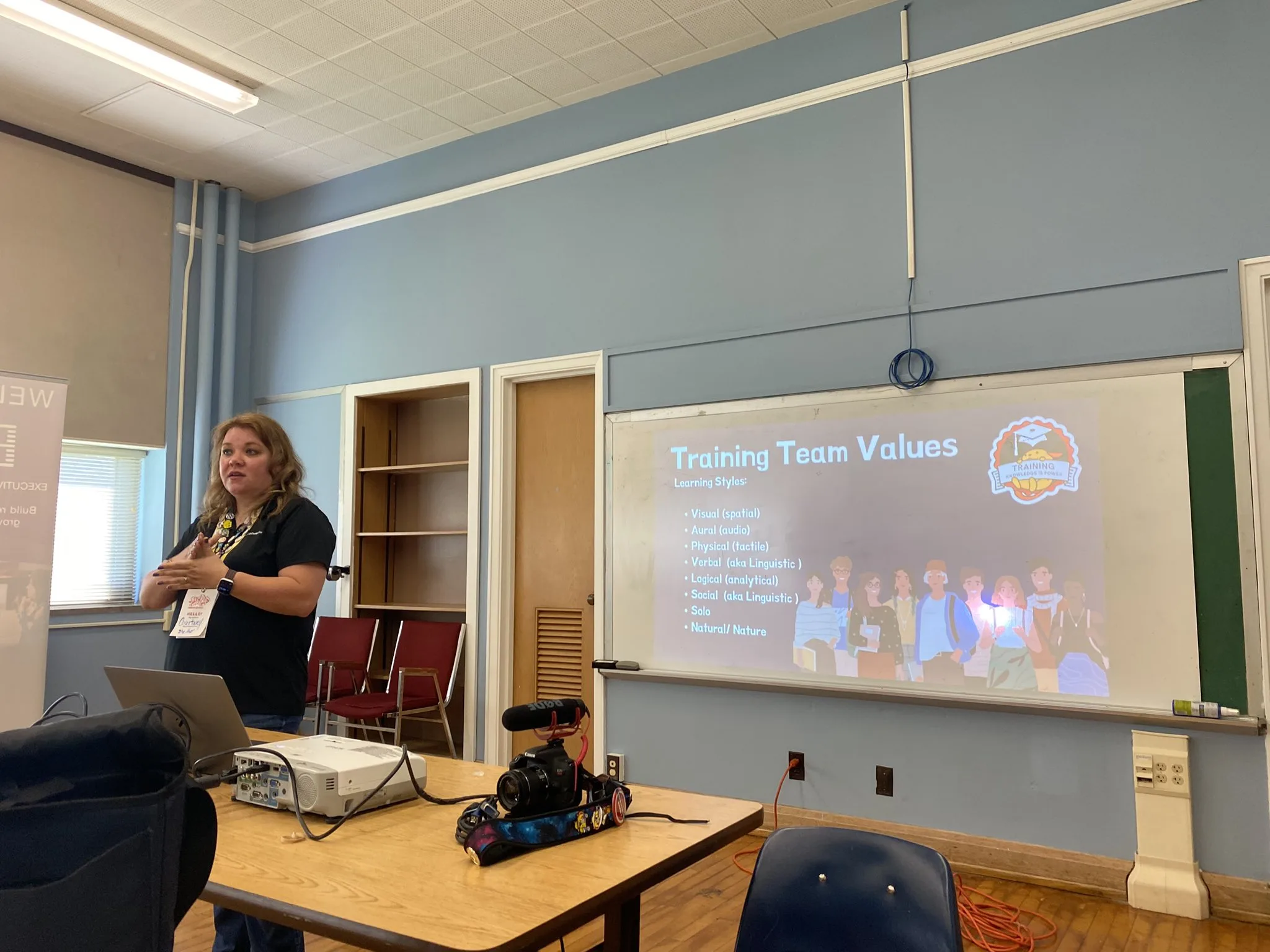
- ## [Book Review: Engineering Management for the Rest of Us](https://courtneyr.dev/2023/01/22/book-review-engineering-management/)
January 22, 2023
1. [🚀 The Book in 3 Sentences](https://courtneyr.dev/2023/01/22/book-review-engineering-management/#the-book-in-3-sentences)
2. [🎨 Impressions of Engineering Management](https://courtneyr.dev/2023/01/22/book-review-engineering-management/#impressions-of-engineering-management)
1. [How I Discovered It](https://courtneyr.dev/2023/01/22/book-review-engineering-management/#how-i-discovered-it)
2. [Who Should Read It?](https://courtneyr.dev/2023/01/22/book-review-engineering-management/#who-should-read-it)
3. [☘️ How the Book Changed Me](https://courtneyr.dev/2023/01/22/book-review-engineering-management/#how-the-book-changed-me)
1. [✍️ My Top 3 Quotes](https://courtneyr.dev/2023/01/22/book-review-engineering-management/#my-top-3-quotes)
4. [📒 Summary + Notes](https://courtneyr.dev/2023/01/22/book-review-engineering-management/#summary-notes)
# 🚀 The Book in 3 Sentences
“Effective Management and Leadership: A Guide to Communication, Goal Setting, and Self-Care” offers managers and leaders a thorough manual for enhancing their communication, goal-setting, and self-care abilities. It focuses on the significance of values in management and leadership and offers a thorough guide to goal-setting and prioritization. Reading this book will equip you with the skills necessary to motivate and inspire your team while also looking after yourself. You can find more at [EngManagement](https://www.engmanagement.dev/).
# 🎨 Impressions of Engineering Management
## How I Discovered It
When the vast majority of the developers I follow in Twitter started sharing the release information of this book, I realized I needed to take a look. As a Developer Advocate, I am often reviewing my career path in light of both what engineers use AND community management that sits within a marketing department. I wanted to glean the insights of where I hope to be career-wise within several years.
## Who Should Read It?
Whether you are an engineer, developer advocate, community management, on a career path to become any one of these, or a manager of these roles, you’ll want to read and reread this book. I would also suggest that team leaders, project managers, and supervisors will find it especially helpful. If you want to learn about effective management and leadership techniques as well as the significance of values in management and leadership, get your copy now.
# ☘️ How the Book Changed Me
1. Clear set of values that guide managers’ and leaders’ actions and decisions. Become more aligned with their team and to develop a sense of purpose and direction.
2. Clear communication in management and leadership: It includes strategies for encouraging team members to share their thoughts and ideas and for fostering open communication.
3. Self-care for managers and leaders: The book emphasizes the importance of self-care for managers and leaders, as it can help to prevent burnout and ensure that they can perform at their best. It includes self-care advice such as setting boundaries.
4. The importance of effective goal setting and prioritization: The book provides detailed guidance on how to set and achieve goals, as well as prioritize tasks and projects. It demonstrates how effective goal setting and prioritization can lead to improved performance and greater team success.
5. Have a code of conduct that specifies what type of behavior is acceptable and what is not.
6. The significance of assuming good intentions and not closing a PR from an active contributor and reimplementing the same thing yourself.
7. Active participation in peer and mob programming: team members sharing their thinking through a problem, as well as wins and mistakes.
8. Fostering psychological safety: a positive developer experience, and a sense of alignment with the company’s goals.
9. When making decisions, it is necessary to check in with facts, find and rally around the positive, reject negative premises, and consider the consequences.
## ✍️ My Top 3 Quotes
> When a person feels that their work is valued, that they have a North Star purpose both for their personal growth and for wider impact with the people and industry, it’s an incredibly powerful thing.
>
> Building a team where a group of people from diverse backgrounds, cultures, and lived experiences can thrive is how we create healthy working environments.
>
> A team that’s motivated, has psychological safety with you and among themselves, has good developer experience within their tech stack, and feels aligned with the company’s goals will always perform better than one that isn’t.
# 📒 Summary + Notes
Good engineering management necessitates knowledge of power dynamics, organizational structures, and broad-based approaches. The necessity of fostering a positive team culture and a set of shared values is also emphasized. These factors can increase performance and create trust. The paragraph also emphasizes the significance of good teamwork and problem-solving, as well as the necessity for managers to assume accountability for putting their people in a position to succeed and keeping a positive attitude.
Clear communication, establishing and enforcing boundaries, and promoting a healthy and productive work atmosphere are all necessary for effective management and leadership. This entails giving justifications for denying or rejecting help requests, upholding a code of conduct, presuming goodwill, handling conflicts, and establishing specific objectives and timeframes. It also highlights the value of managers’ and leaders’ self-awareness and self-care, as well as the relevance of self-confidence and self-efficacy in attaining success. The paragraph also makes the case that minimizing technical debt and placing more emphasis on the system than on individual objectives may be beneficial for team success.
1. Introduction
- Engineering management requires understanding power imbalances and people structures
- Importance of considering strategies outside of a single project
2. The Role of Values
- Values as fundamental beliefs that guide actions and determine what is important
- Values provide context for understanding a person’s mental state, needs, and motivations
- Sharing values can build trust and vulnerability within a team
- Core values help companies determine goals and create a stable direction forward
3. Building a Positive Team Culture
- Regular team check-ins and discussions are important for success
- Manager’s role in setting team up for success and maintaining morale
- Importance of alignment, challenging work, sense of togetherness, and fair treatment for achieving flow state
- Importance of connection and positive reinforcement in times of stress
4. Effective Communication and Problem-Solving
- Importance of hearing feelings and needs behind a message
- Peer and mob programming for sharing thinking and learning from mistakes
- Checking facts, finding and rallying around the positive, rejecting negative premises, and reviewing consequences
- Stepping away from volatile situations as a manager
5. Communication and Collaboration
- Explain reasons for closing or declining help requests
- Provide a code of conduct for acceptable behavior
- Assume good intentions in confusion
- Avoid closing PRs and re-implementing the same thing
- Address and resolve personal conflicts
6. Goal Setting and Prioritization
- Objectives should be high-level goals that inspire a picture of the future
- Values provide context for understanding a person’s mental state, needs, and motivations
- Sharing values can build trust and vulnerability within a team
- Core values help companies determine goals and create a stable direction forward
- Key Results are specific measurable pieces of data over time
- Define future OKRs by looking forward and backward
- Prioritize and make decisions that are right for you
7. Team Management and Performance
- Regular team check-ins and discussions are important for success
- Manager’s role in setting team up for success and maintaining morale
- Saying no to give team bandwidth and space for what is critical
- Keep track of unfinished work for stakeholders
- A motivated, psychologically safe, and aligned team will perform better
- Avoid splitting engineers
Engineering Management for the Rest of Us
[Amazon](https://amzn.to/3XMFXGz)
Sarah Drasner
November 1, 2022
A lot of Engineering Managers and leaders studied for years and years to become the best Engineer they possibly could be… and then they were promoted. It can be very tough for those of us who didn’t go into Engineering with the distinct concept that we would become managers, but still want to do our best to support our teams. I wrote this book because there’s so much no one told me about management that I wished I would have known. There’s a lot to be purposeful about that many of us learn on the job, and worse: learn on people. This book provides some organization for collaborating with networks of people, working together towards a common purpose. There seem to be millions of articles and “how to”s on programming and only a handful of resources on Engineering Management- why? It’s very tough to talk about something that involves people processes. People are non-deterministic. Working relationships are nuanced, communication is linked with individual values, motivations, power dynamics, and skills. People also have a range of experiences and emotions that are not consistent day-to-day. Hopefully, in the happiest, most productive sense. It’s imperative that we as managers learn as much as we can and work on ourselves, so that our teams may enjoy a healthy working life and strong relationships. It’s not just important, it’s crucial that we iterate on our own skills as managers so that we can properly support everyone around us: individuals, peers, leadership, and the business. I’m sharing what I’ve learned- not so that you follow my concepts exactly, but rather so that you can be thoughtful about your own leadership and needs. The book goes from the macro to the micro- with topics ranging everywhere from “feedback” to “scoping down PRs”. Though the book is meant to address people in management, individual contributors are welcome to read the book as well- perhaps you need to manage up and need some tools to help guide the conversation, perhaps you just want a peek at other concerns within the business- everyone is invited to the conversation.
- ## [A Lot of a Lot: Personal Knowledge Management](https://courtneyr.dev/2022/12/01/a-lot-personal-knowledge-management/)
December 1, 2022
Have you ever found yourself with more ideas than you can handle? Where do you begin making sense of what needs to be accomplished and finding a starting place? For me, the starting place in in my personal knowledge management.
I’ve been finding myself in this space drifting between the stacks of ideas, the piles of requests, and the entire marketplace of shiny new things. I’ve been intimidated to take on new challenges but finding ways of [stepping into these fully](https://courtneyr.dev/2022/07/23/the-opportunity-is-right-there-take-it/). I am searching for the perfect thing for people I have in mind, much like shopping for gifts. Yet when faced with so many possibilities, it can be quite overwhelming.
In my physical space, I have taken the time needed to sort through the clutter. My kids’ home classroom setup is much this way. While they’ve had the freedom to create with minimal boundaries, their works of art leave a trail of debris from the tornado effects of their creativity. Their creations were then overlooked and the space became too disorganized to appreciate.
It sat cold and empty, but remained a mess. On a cold and rainy day with no other plans, we turned on some holiday music, warmed and lit the room, and began the work as a family of putting this space back in order. Since then, it has returned to an inviting and integral part of our daily routine.

In my mental space, things aren’t all that different. I see the many opportunities and connections waiting before me. It all becomes so much at times that I drift along allowing Slack, social media, and emails to sort out my priorities in the moment. This is no way to make progress. I needed to start gathering ideas and organizing them somewhere. I need a personal knowledge management system.
## 2022 Reading: Personal Knowledge Management
Over the past year, I’ve read and listened to many books about personal knowledge management and productivity. For maximum concentration, I often listen to the audiobook while I read along on my Kindle iOS app and take notes. I started out with *“How to Read a Book”* to help get my head back into the mode of reading for studying. From there, I branched out to productivity and personal knowledge management. Several of these books were a re-read for me as it had been quite a while and I hadn’t previously taken notes on them.
## Downloading My Thoughts
With the knowledge gained from these books, I was read to capture the ideas. While “*Getting Things Done”* is a method for handling tasks, *“How to Take Smart Notes”* and *“Building a Second Brain”* are similar methods for handling all the information that flows by and through us. They are the personal knowledge management methods. Capture, organize, synthesize, and share it for yourself later.
I have started into using [Obsidian.md](https://obsidian.md/) as my notes system, and [Things 3](https://culturedcode.com/things/) for my tasks. Articles I want to save and annotate go into [DevonThink](https://www.devontechnologies.com/apps/devonthink). I have been slowly building up my information system and keep the software tools open while I work. I collect the ideas, use a daily note as my digital bullet journal, and have weekly, monthly, and yearly check-ins with myself. I’ve also applied myself to learning all I can via Curtis McHale’s courses.
[Courses – Curtis McHale
curtismchale.ca](https://curtismchale.ca/education/)I have my invested the time to build out my methods, learned the tools, and tested the systems to meet my workflow needs. I am now primarily working on making this second nature to me. I can set up recurring routines for myself and use my tools to empower that. What I most need though is to always be capturing, prioritizing, and processing. This leads to a more organized top of mind state. I can refer to my tools and systems to recall what I need and help me to schedule times better.
## Personal Growth
As I shift through careers as a teacher, software release communications, instructional designer, and now as a developer advocate, I see the many ways my own thinking has expanded. No longer do I have sequential tasks. Often, deadlines are mine to create. Organizing others around common goals is key to working in community management. Taking ownership over my own knowledge management is part of career growth. Allowing ideas and initiatives to drift along doesn’t fit with reaching goals in a timely manner. It matters more to me now than ever before to be intentional about how I capture and collect the ideas.
I am moving from feeling there’s a lot of work/ideas/initiaitives all over the place to finding order and organization in accomplishing these things. No longer is it a lot of a lot. Implementing personal knowledge management has become a relief.
1[2](?query-1-page=2)[3](?query-1-page=3)…[15](?query-1-page=15)
[Next Page](/stream.md?query-1-page=2)